


Table of Contents
If you’ve been running your creative business off a patchwork of Google Docs, scattered email threads, and the occasional sticky note on your monitor—this one’s for you.
Dubsado is a client management system built specifically for service-based businesses: photographers, brand designers, copywriters, web designers, coaches, and pretty much anyone who has clients and wants their business to feel less like organized chaos.
This post is your full walkthrough—from what Dubsado actually is, to how it stacks up against HoneyBook, to how to start getting started with Dubsado CRM and what you should automate first.
And yes, if you decide it’s the right fit: you can use our affiliate link to get 20% off your first month or year. (Code: daveyandkrista) More on that later.
What Is Dubsado, and Why Do So Many Creatives Swear By It?
Dubsado is a business management platform designed to help you run your entire client process in one place—from the moment someone fills out your contact form, all the way through the final invoice and offboarding.
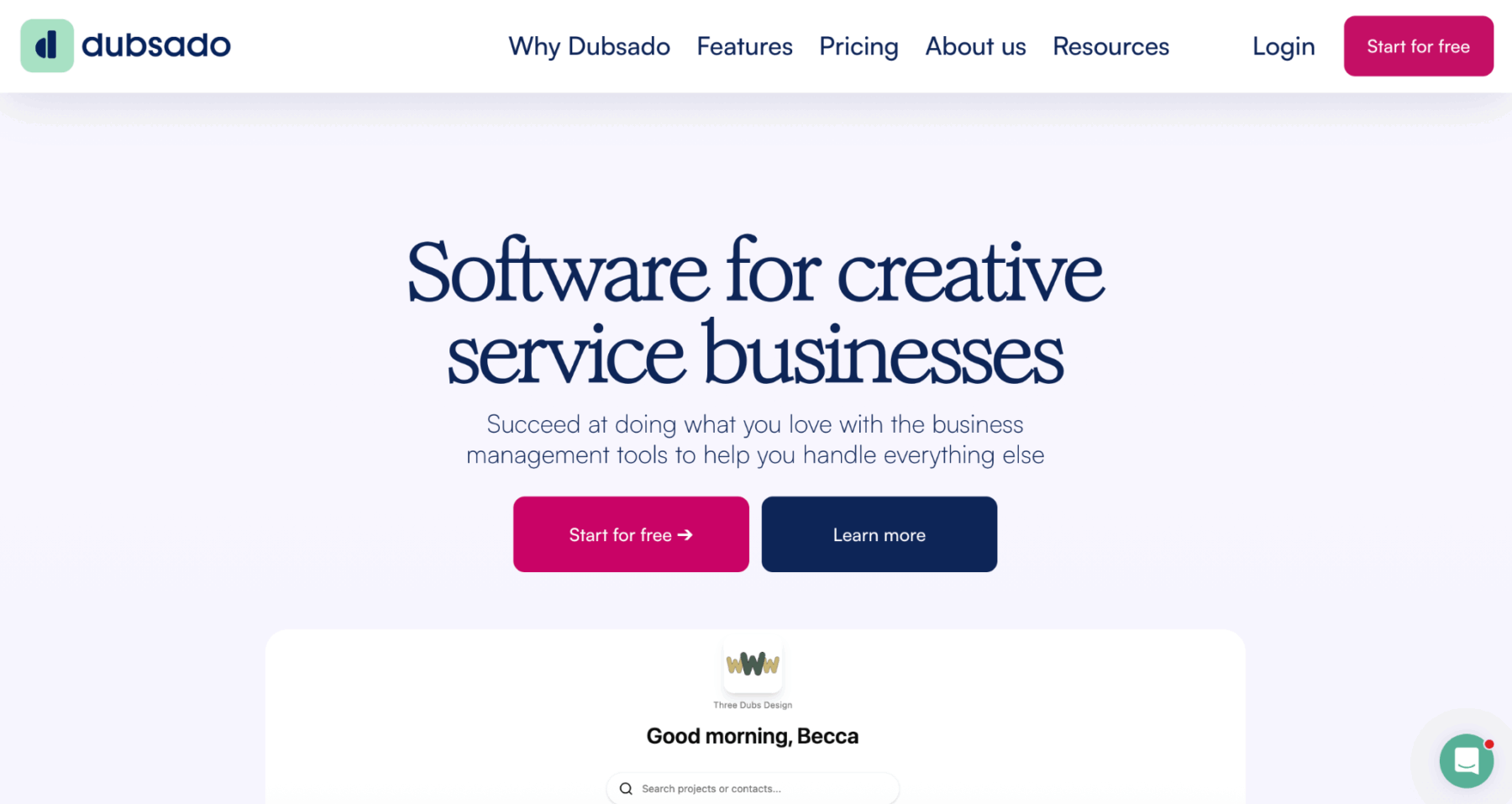
It handles proposals, contracts, invoices, questionnaires, client portals, scheduling, and the automation that ties all of it together. Think of it as the system that quietly works behind the scenes so you don’t have to.
For creative service providers, this matters more than you might think. Every time you manually copy-paste a welcome email, re-attach a contract PDF, or chase down an invoice that’s three days overdue, you’re burning time that could go toward actual client work—or, you know, a life outside your inbox.
Dubsado was built to close that gap.
It’s used widely by photographers, brand designers, web designers, copywriters, coaches, wedding vendors, and other creative service providers. The platform is especially well-loved by people who care about brand consistency—because your forms, contracts, proposals, and client portal can all be fully customized to match your aesthetic.
No generic clunky CRM screens for your clients. Just a clean, branded experience that actually reflects your business.
Dubsado vs. HoneyBook: Which One Is Right for You?
This is probably the question you came here with. Both are popular, both serve creative service businesses, and both will genuinely make your client process easier than whatever cobbled-together system you have now.
But they’re not the same, and the differences are real enough to matter.
Who Each Platform Is Built For
HoneyBook tends to be the better fit for people who want to get up and running quickly. It has a more guided setup experience, loads pre-made templates based on your industry, and gives you a checklist-style onboarding flow that makes it easy to start booking clients fast.
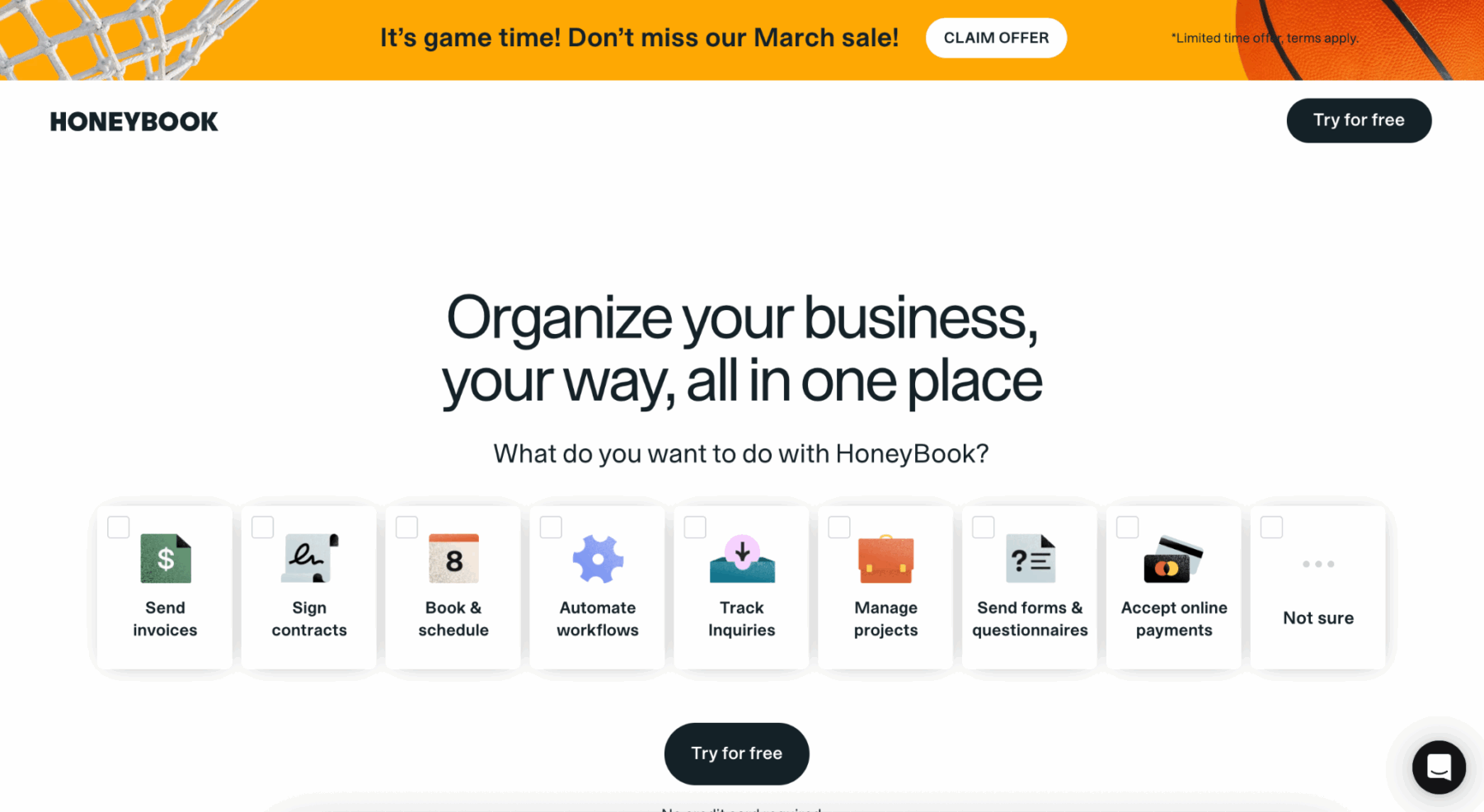
If you’re brand new to client management software and want something functional within a few hours, HoneyBook’s gentler learning curve is real.
Dubsado, on the other hand, is more powerful—and a bit more demanding upfront. The workflow automation is significantly more robust, the customization options are more extensive, and the platform generally gives you more control over how your client experience looks and functions.
That depth comes with a learning curve, but most Dubsado users will tell you the payoff is worth it once you’ve set it up properly.
Automation: Where Dubsado Pulls Ahead
This is probably the biggest practical difference between the two platforms.
Dubsado’s workflows allow you to chain together a long list of automated actions—sending forms, contracts, invoices, scheduler links, emails, status changes, to-do flags for manual follow-up—all in a single flow.
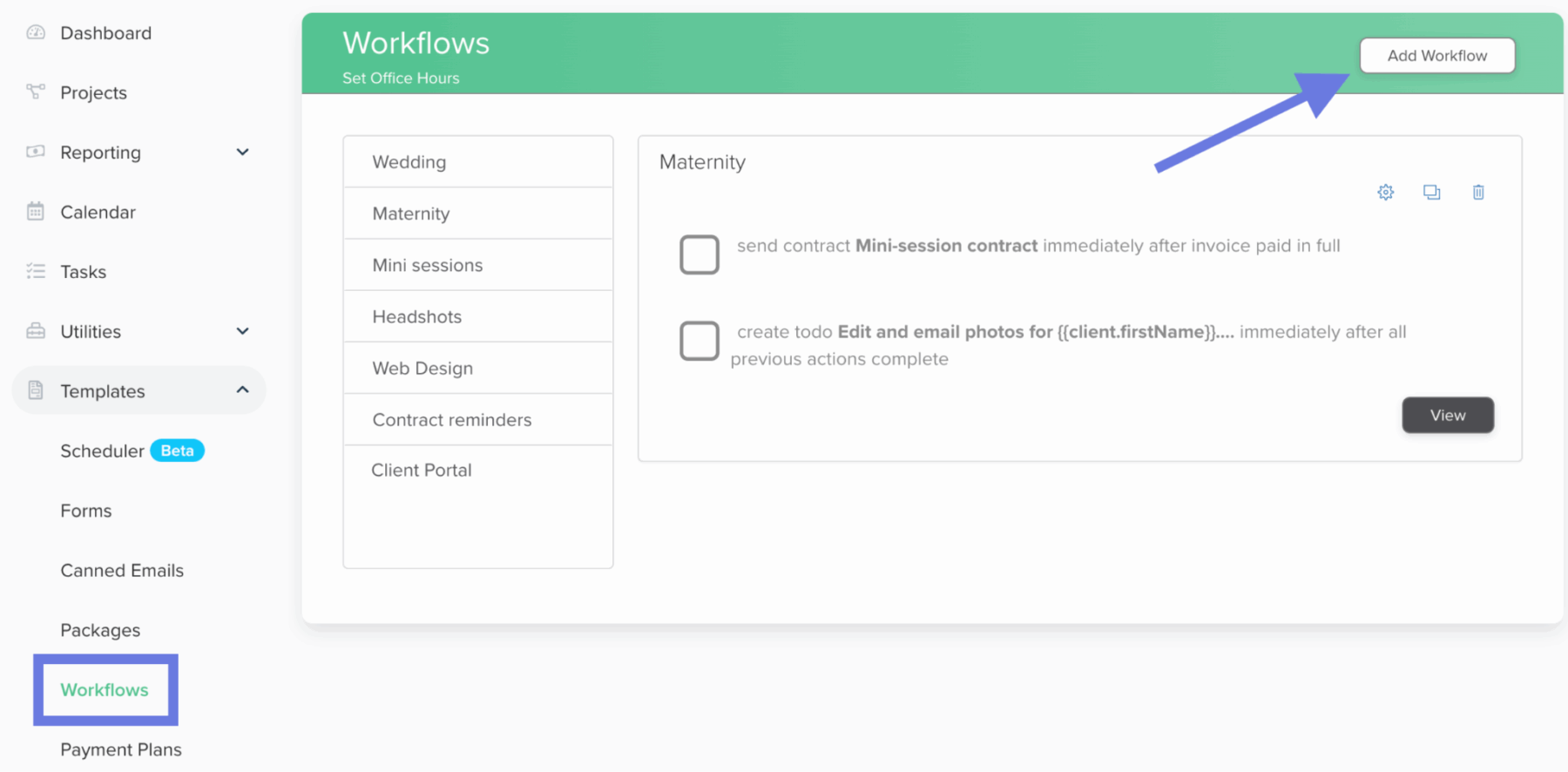
You can build complex automations that essentially run your entire client onboarding without you touching a single thing.
HoneyBook offers automation too, but the options are more limited in scope and flexibility. If your business relies on detailed, multi-step client workflows—or if you’re building out systems with the intention to scale—Dubsado gives you more to work with.
Customization and Brand Consistency
Both platforms allow you to add your logo, brand colors, and custom fonts to your client-facing documents. But Dubsado goes further.
Every form—proposals, contracts, questionnaires, invoices—can be customized with image blocks, text blocks, embedded content, and even custom code if you want to go that route.
There are even third-party shops that sell beautifully designed Dubsado form templates if you want something polished without building from scratch.
HoneyBook’s branding customization is more limited—you can update cover images and basic colors, but the depth of visual control isn’t the same.
If a client’s first impression of your business lives partly in those documents, that distinction matters.
Pricing (They’re Close Now)
For a long time, Dubsado was notably more affordable than HoneyBook—that price gap used to be a significant differentiator.
As of late 2025, both platforms have adjusted pricing and are now in a similar range. Dubsado’s Starter plan runs around $20/month (or about $16.67/month billed annually), with a Premier plan around $40/month ($33.33/month annually).
HoneyBook’s plans start at $19/month and scale upward depending on features and team size.
The important thing to know: Dubsado offers a free trial that lets you use the platform with up to three clients—no time limit, no credit card required.
That’s a generous runway to actually build your workflows and test the system before you pay for anything.
HoneyBook’s free trial is only seven days, which is barely enough time to get oriented, let alone evaluate whether it fits.
And if you’re ready to commit to Dubsado: using our referral link (code daveyandkrista) gets you 20% off your first month or first year. That’s a meaningful discount on the annual plan especially.
International Availability
This one is quick but important: HoneyBook is only available in the United States and Canada.
If you’re outside North America—or if you work with international clients and need payment flexibility—Dubsado is the only realistic option.
Dubsado works anywhere you can connect Stripe, Square, or PayPal, which means it scales geographically in a way HoneyBook simply doesn’t.
Quick Comparison at a Glance
| Feature | Dubsado | HoneyBook |
| Free trial | Up to 3 clients, no time limit | 7 days |
| Automation depth | Highly customizable, multi-step | More limited |
| Branding/customization | Extensive | Moderate |
| Learning curve | Steeper upfront | Easier onboarding |
| International availability | Yes (worldwide) | US & Canada only |
| Starting price (monthly) | ~$20/month | ~$19/month |
| Best for | Power users, scaling service biz | Quick setup, beginners |
Who Should Use Dubsado? (And Who Might Want to Think Twice)
Dubsado is genuinely excellent for a specific type of business owner—but it’s not a perfect fit for everyone.
You’ll get the most out of Dubsado if you’re a service-based creative who has a repeatable client process—meaning you take clients through roughly the same steps every time, and you want those steps automated.
Photographers who send the same inquiry response, contract, and questionnaire to every couple. Brand designers who walk clients through a proposal, onboarding questionnaire, project timeline, and final delivery every single time. Web designers. Copywriters. Virtual assistants. Coaches.
If you’re doing the same client-process tasks over and over, Dubsado can handle most of them for you.
It’s also a great fit if brand consistency matters to your business. The ability to make your contracts, proposals, and client portals look and feel like your brand is a real differentiator—especially for designers and brand strategists where that first impression carries extra weight.
On the flip side: if you’re just dipping your toes into client work and have one or two clients right now, the free plan (up to three clients) is a good place to start without any financial commitment.
But be prepared to invest some setup time. Dubsado rewards the people who put in the work to build their workflows intentionally.
If you want to log in and be booking clients within twenty minutes, HoneyBook might be the better starting point.
One more thing worth saying clearly: Dubsado is not a project management tool. It’s not meant to replace ClickUp or Asana for managing your internal task list.
It’s a client management system—it handles the client-facing side of your business, not the internal operations side.
Many service providers use both: Dubsado for client experience, and a separate project management tool for their own workflow.
Getting Started with Dubsado CRM: How to Set It Up
Here’s the thing about setting up Dubsado: it’s not hard, but it takes intention.
The people who feel overwhelmed by it are usually the ones who log in, see all the options, and try to figure out everything at once.
The smarter move is to set it up in phases, starting with the things you’ll actually use today.
Step 1: Start Your Free Trial
Head to dubsado.com and start your free account. No credit card required.
You’ll have full access to the platform for your first three clients, which gives you enough runway to build everything out properly before paying.
If you’re ready to sign up with a discount, use code daveyandkrista at checkout for 20% off your first month or year.
Alt text for screenshot: Dubsado CRM dashboard homepage displaying active client projects, upcoming tasks, and recent inquiry activity
Step 2: Set Up Your Brand
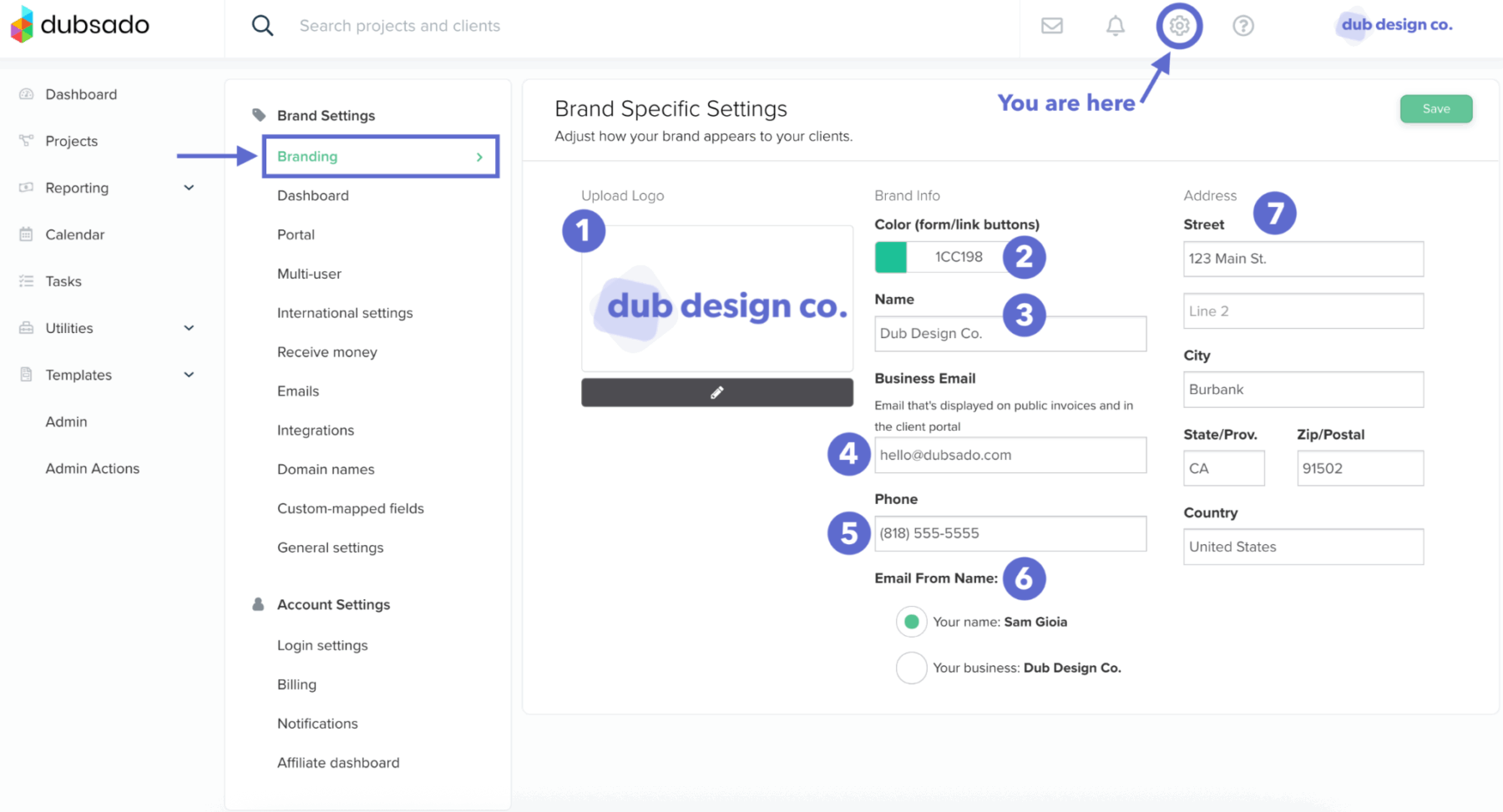
Before you build a single form or workflow, go into your account settings and upload your logo, set your brand colors, and add your business information.
This takes maybe ten minutes, but it means every piece of client communication that goes out through Dubsado will look like you—not like generic software.
It’s a small step that makes a significant difference in how professional your client experience feels from day one.
Alt text for screenshot: Dubsado brand customization settings showing logo upload field, primary and secondary color selectors, and custom font options
Step 3: Build Your Core Forms
This is the heart of your Dubsado setup. Your core forms are the documents that get sent to clients throughout the project lifecycle, and you’ll want to build these before you create any automation.
Most service-based creatives need some variation of these:
- A contact/inquiry form that lives on your website
- A lead capture or discovery call questionnaire
- A proposal that outlines your services and pricing
- A contract—you can work with your own legal language or use a template (we recommend getting these from The Legal Paige)
- An invoice, which can often be attached directly to the proposal for a seamless booking experience
- A client onboarding questionnaire to gather project details after someone books
- A feedback or offboarding form to close the project
Dubsado’s form builder is drag-and-drop and supports text blocks, image embeds, smart fields (which auto-populate client info), and custom code if you want to get more advanced.
Take your time here. Well-built forms make the automation layer much cleaner.
Step 4: Set Up Your Client Portal and Scheduler
The client portal is where your clients can log in to view their documents, track what’s been signed, see invoices, and communicate with you.
You can customize the portal to match your brand. It’s a small touch, but it elevates the client experience considerably—especially for higher-ticket services where the perceived professionalism of every touchpoint matters.
If you take discovery calls or project kickoff calls, connect your scheduling tool through Dubsado’s built-in scheduler or via Zapier with a calendar tool you already use.
Getting this integrated early means you can include a scheduling link inside your automated workflows—so booking a call becomes one seamless step in the process rather than a back-and-forth email chain.
Step 5: Build Your First Workflow
This is where Dubsado earns its reputation. A workflow is a sequence of automated actions that can be triggered when a client reaches a certain project status—so when someone fills out your inquiry form, for example, a workflow can automatically send them a response email, change their project status to ‘inquiry received,’ and schedule a follow-up to-do for you if they haven’t responded in 48 hours.
For your first workflow, keep it simple: focus on the inquiry-to-booked sequence.
Map out what happens from the moment someone submits your contact form to the moment they’re officially signed and paid. Then build that in Dubsado.
Once that’s working reliably, you can layer in more complexity.
What to Automate in Dubsado First
This is the section most Dubsado tutorials gloss over, so let’s be specific.
Not everything needs to be automated—and trying to automate everything at once is a fast path to a setup that feels broken before it ever gets used.
Start with the sequences you run most often, and build from there.
1. The Inquiry Response
The moment someone fills out your contact form, something should happen automatically.
At a minimum: a warm, branded response that lets them know you received their inquiry and what the next steps are.
This is table stakes—responding hours later because you didn’t see the email is a brand consistency problem, especially when the fix is a fifteen-minute automation setup.
A more complete version of this automation might send a response email, attach a link to book a discovery call, and change the project status to ‘inquiry received’—all without you touching anything.
2. The Booking Sequence (Proposal → Contract → Invoice)
Once someone is ready to book, this is where Dubsado saves the most time.
You can build a workflow that sends the proposal, then once it’s approved, automatically sends the contract for signature, then once it’s signed, triggers the invoice.
The entire booking sequence—which might have previously required three separate manual emails over the course of a few days—can be handled in an automated chain that feels seamless to the client.
Many designers and photographers send the proposal and contract together in a single link, which makes the booking experience even more frictionless. Test what works for your client base.
3. The Onboarding Questionnaire
After someone books, you need their project details—brand questionnaire responses, website copy, image files, whatever your process requires.
Instead of sending this manually, build a workflow trigger that fires automatically when the invoice is paid (or when the project moves to ‘booked’ status), sending the onboarding questionnaire along with a welcome email.
Your client feels taken care of. You didn’t have to do anything.
4. Payment Reminders
Chase-down emails for outstanding invoices are one of the more draining parts of running a service business.
Dubsado can automate payment reminders—so a gentle nudge goes out automatically before and after a due date, without you having to track it down or feel awkward about following up.
It’s one of those automations that pays for itself in recovered time within the first week.
5. The Offboarding Email
When a project wraps, most people drop the ball on a clean offboarding experience.
A well-timed automated email—thanking the client, including a feedback form, and maybe a note about referrals or your next availability—is the kind of thing that turns one-time clients into people who come back and send others your way.
Build this once, and it runs every time.
A Few Things to Know Before You Start
A handful of things that come up often when people are getting started with Dubsado CRM:
- Dubsado has a robust help center and an active community of users. If you’re stuck on something, someone has almost certainly documented the solution. The Learning Lab inside Dubsado is also worth bookmarking.
- The mobile app is functional but not where most of the setup happens. Plan to do your initial configuration on desktop.
- You can connect Dubsado to Zapier to extend its integrations—this is how many people connect it to their project management tools, email marketing platforms, or calendar apps.
- Smart fields (like {client_name} or {project_name}) are your best friend. Learn them early—they’re what make your automated emails feel personal even when they’re fully automated.
- Third-party Dubsado template shops exist if you want a head start on beautiful form designs. A quick search will turn up several options.
Ready to Give Dubsado a Try?
You can start your free trial with up to three clients—no credit card, no time limit. That’s a generous amount of runway to build your workflows, get your forms set up, and decide whether it fits how you work.
When you’re ready to upgrade, use our affiliate link or enter code daveyandkrista at checkout for 20% off your first month or your first year.
Need help streamlining your entire creative business? Check out our Showit website templates built for photographers, designers, and creatives—each one comes with systems and workflows to make running your business easier, not harder.
Frequently Asked Questions About Getting Started with Dubsado CRM
Is Dubsado worth it for a small creative business?
Yes—especially if you have a repeatable client process and want to stop rebuilding the same emails and documents from scratch every time. The free trial is generous enough to test it properly before committing.
Can I use Dubsado for both proposals and contracts?
Yes. Dubsado lets you send proposals and contracts together in a single link, so clients can review your offer, sign the contract, and pay the invoice in one sitting. It’s a much cleaner booking experience than sending those documents separately.
What’s the difference between Dubsado’s Starter and Premier plans?
The Starter plan covers the core CRM features—client management, forms, basic workflows, and invoicing. The Premier plan adds more advanced workflow options, additional team member seats, more scheduler options, and expanded reporting. Most solo service providers start on the Starter plan and upgrade as their needs grow.
Do I need Dubsado if I already use a project management tool?
Dubsado and project management tools serve different purposes. Dubsado manages the client-facing experience—proposals, contracts, invoices, portals, communication. Project management tools like ClickUp or Asana manage your internal task flow. Many creative business owners use both, connecting them via Zapier so that booking a client in Dubsado automatically creates a project in their task manager.

Krista is the co-founder of Davey & Krista, a creative studio known for high-converting Showit website templates crafted for photographers, creatives, and entrepreneurs. With over 15 years of branding and marketing experience, she helps business owners launch stunning websites without the tech overwhelm. Krista also teaches designers how to turn their creative skills into a thriving business—through templates, courses, and behind-the-scenes strategy. When she’s not designing, you’ll find her chasing sunshine, color palettes, and gluten-free pizza.
Explore website templates and free resources at daveyandkrista.com.



VIEW THE COMMENTS
Add A Comment