


Table of Contents
If you’ve been going back and forth between Showit, Squarespace, and WordPress for longer than you’d like to admit, I want to help you just make the decision.
Because here’s the thing: all three are legitimate platforms. All three have people building beautiful, successful businesses on them. The question isn’t which one is objectively the best. The question is which one is right for you, your business, your goals, and honestly, your personality.
And I have opinions about that. After building hundreds of websites for creative business owners and watching what actually happens when people choose the wrong platform, I can tell you pretty quickly which direction most photographers, designers, coaches, and creatives should go.
For visual creatives who want full design control without needing to know code, Showit is almost always the answer. Squarespace is simpler but more limited in design. WordPress is the most powerful but also the most technical. If your brand and portfolio are the product, Showit’s design freedom is why most of the creative business owners I work with choose it.
But let me actually walk you through why, because “it depends” is the least helpful answer in the world and you deserve the full picture.
The Quick Verdict
Here’s where I’d point each type of person before we go deeper.
Choose Showit if you’re a photographer, designer, stationer, coach, or any creative whose visual brand is central to how you sell. You want a site that looks completely custom, you care deeply about how every detail looks, and you want to be able to update it yourself without touching code.
Choose Squarespace if you need something live quickly, you’re ok not having a fully custom design, and you want everything managed in one simple place. It’s a genuinely good platform for straightforward business websites.
Choose WordPress if you have technical comfort, a developer relationship, or you’re building something complex that needs to scale in ways the other two platforms can’t support.
For most creative business owners reading this? It’s Showit. Let me explain why.
Design Freedom: This Is Where It Gets Real
Design freedom is the single most important factor for most creative business owners, and the three platforms handle it completely differently.
Squarespace gives you beautiful templates and lets you work within them. You can change colors, fonts, and images. You can move some things around. But you’re always working inside Squarespace’s structure, and that structure has guardrails. The result is a site that looks polished and professional, but it also looks like a Squarespace site. And if you’ve spent any time online, you know exactly what a Squarespace site looks like.
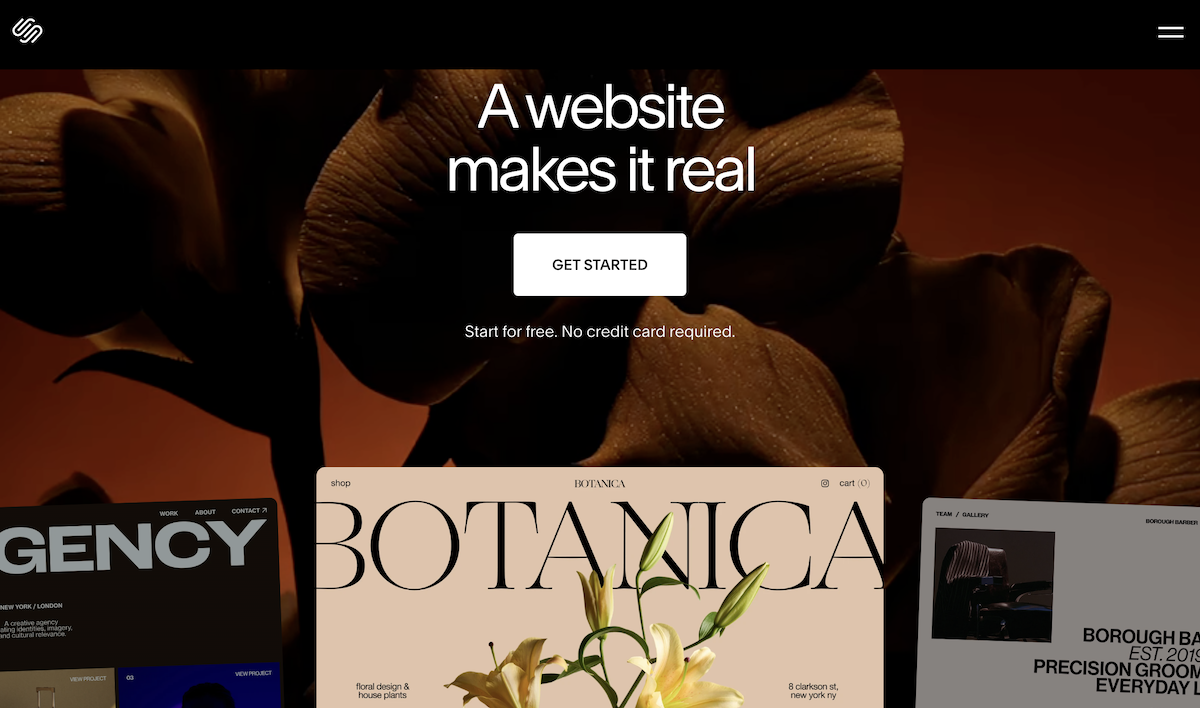
For a brand photographer, a stationer, or a designer whose visual identity is literally the thing clients are buying, that limitation is a real problem. Your website is a portfolio before it’s anything else. It needs to look like you, not like a slightly customized version of someone else’s template system.
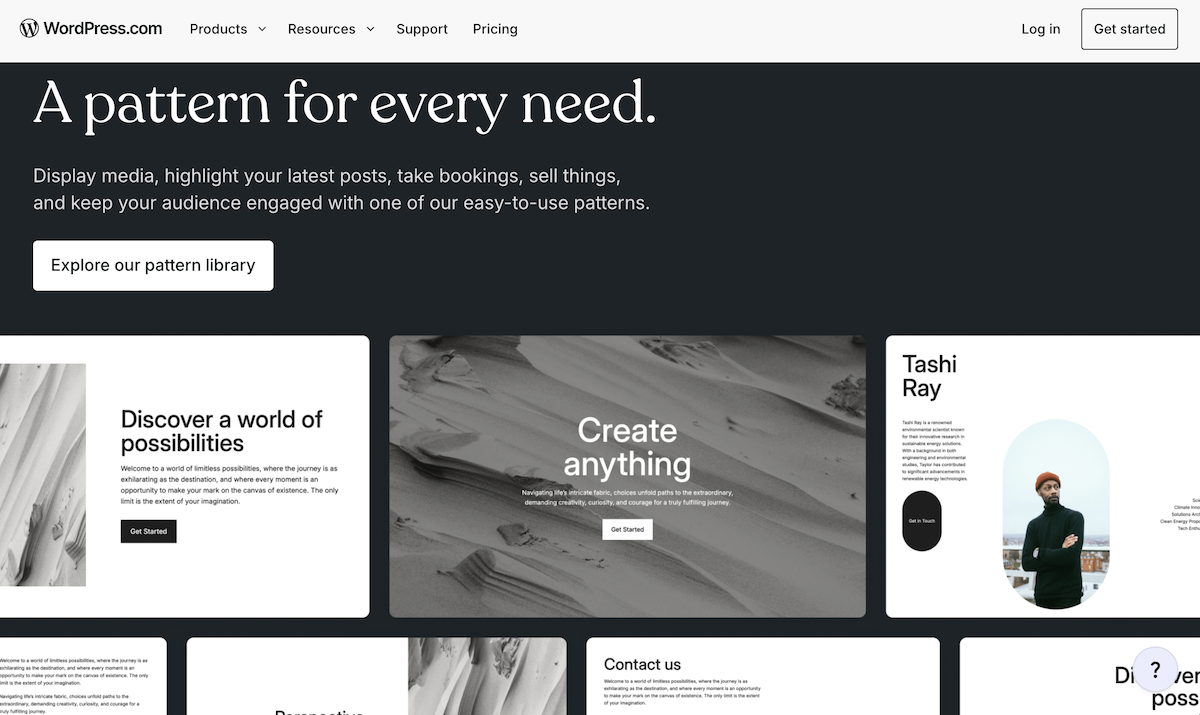
WordPress removes those guardrails entirely, but it replaces them with technical complexity. You can build absolutely anything on WordPress. The question is whether you want to spend your time doing that, or whether you want to spend your time on your actual work. For most creative business owners, the answer is pretty clear.
Showit is the one that genuinely solves this. Every element, every text box, every image, every button, can go exactly where you want it on the page. You’re not working inside a grid. You’re designing with the same kind of freedom you’d have in Canva or InDesign, but for a full, live website. That’s rare. And it’s why so many creative business owners who have tried other platforms end up here.
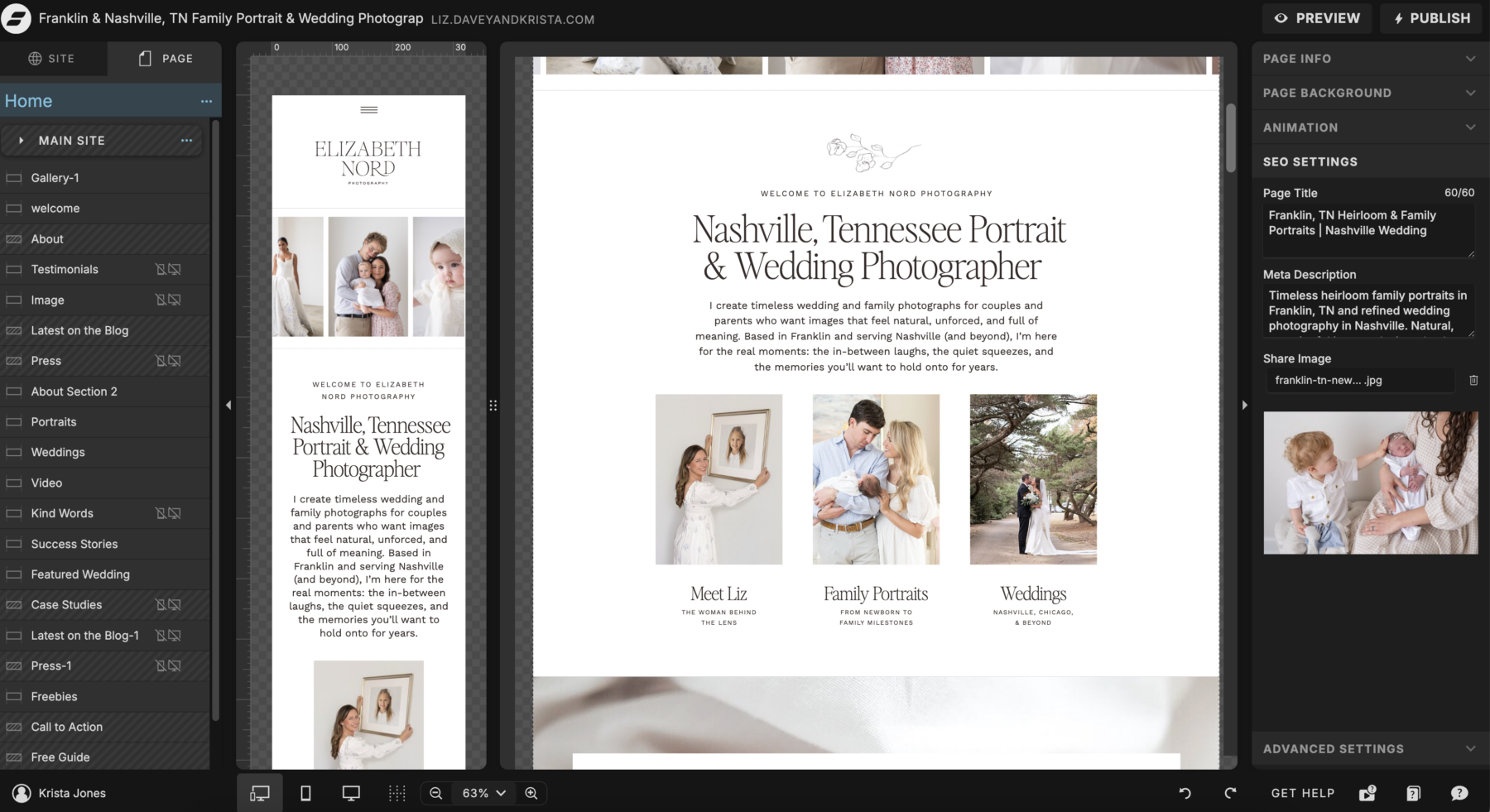
One thing worth knowing: in Showit, you design your mobile site separately from your desktop site. That might sound like extra work, and it does take a little more time upfront. But it means you have COMPLETE control over how your site looks on a phone, which is where more than half your visitors are coming from. Squarespace auto-adapts your desktop design to mobile, which means the result is sometimes great and sometimes not, and you don’t always get to decide which.
SEO: The Part Nobody Talks About Honestly
This is where things get more nuanced, and I want to be real with you because I see a lot of misinformation floating around about this topic.
Squarespace has solid built-in SEO. You can set page titles, meta descriptions, and alt text. For a simple business website, that’s often enough. Where Squarespace falls short is in the depth of control available and in the blogging infrastructure, which matters MORE than most people realize when it comes to long-term search traffic.
WordPress is the gold standard for SEO, full stop. With plugins like RankMath, you have granular control over every SEO element on every page. The blogging infrastructure is unmatched. If long-term organic search traffic is your primary goal, WordPress has the strongest foundation available.
Showit is stronger for SEO than most people assume, specifically because it integrates directly with WordPress for blogging. Your visual website lives in Showit. Your blog lives in WordPress. You get Showit’s design freedom AND WordPress’s blogging power AND access to SEO plugins that give you full control over how your pages are indexed.
The result is that Showit sites, when set up correctly, can rank extremely well. Davey and I ran a wedding photography business for years on a Showit site, and that site stayed on the first page of Google for our target search terms for six years after we stopped updating it. Six years of inquiries from a site we weren’t even actively maintaining. That’s what good SEO foundations do.
If you want to go deep on this, our Showit SEO Course covers everything from keyword research to optimizing every page to building a blog strategy that actually brings in traffic over time.
Ease of Use: The Learning Curve Conversation
Let’s be honest about this one, because I think it matters.
Squarespace is genuinely the easiest. If you’ve never built a website before, you can have something live on Squarespace in an afternoon. The template system keeps you from making major design mistakes, and everything is managed in one clean dashboard. There’s a lot to love about that simplicity.
WordPress has the steepest learning curve of the three. Even with a page builder like Elementor, you’re managing hosting, plugins, updates, and security separately. It’s powerful, but it asks a LOT of you in return.
Showit sits in the middle, but in a really good way. There’s a learning curve, especially if you’ve never used a drag-and-drop canvas before. But once you get the hang of it, most people find it genuinely intuitive. And the Showit support team is exceptional. I say this without any financial incentive: their in-app support chat is one of the most helpful teams I’ve encountered in any software. They will actually help you solve problems in real time.
Starting from one of our Davey & Krista templates also significantly flattens the Showit learning curve, because the structure is already built and the writing prompts guide you through every section. Instead of figuring out the platform AND the design AND the copy all at once, you’re just making things your own.
Price: What You’re Actually Paying
Pricing comparisons can be misleading if you only look at the monthly subscription cost, so let me give you the full picture.
Squarespace plans start at $16/month and go up to $99/month billed annually. It’s genuinely affordable as an all-in-one option, especially if you’re just getting started and don’t need a lot of design flexibility.
WordPress appears free because the software is open source. But you’re paying for hosting (typically $10-30/month), any premium plugins you need, a premium theme or page builder, and potentially a developer if something breaks. The real cost of WordPress varies enormously and can surprise people who go in thinking it’s the budget option.
Showit plans start at $22/month and go up to $39/month billed annually for the Advanced Blog plan, which is what most people building content-driven sites will want. You’ll also invest in a template upfront, which ranges from $149 to $750 in our shop depending on the template. Factor in that every template comes with writing prompts, a launch checklist, and tutorial videos, and the investment makes a lot of sense when you look at what you’re actually getting.
When you add it up honestly, Showit is comparable in cost to Squarespace for most use cases, and significantly less complicated than WordPress when you account for the real cost of maintaining a self-hosted site.
Blogging: A Bigger Deal Than You Think
If you’re planning to blog at all, and I really do encourage you to plan to blog because consistent blogging is one of the most powerful long-term strategies for getting found in search, this matters a lot.
Squarespace has a built-in blog that’s clean and functional. Easy to use, looks great. But it’s limited in terms of what you can do with categories, internal linking structures, and advanced SEO settings.
WordPress’s blog is the most powerful available. It’s what most major publishers and content-driven businesses use, for good reason.
Showit’s blog runs on WordPress, which means you genuinely get the BEST of both worlds. Your visual website stays in Showit. Your blog posts are created in WordPress and display beautifully on your Showit site. You have access to the full WordPress plugin ecosystem, including RankMath for SEO, which makes optimizing every post straightforward even without a technical background.
For photographers especially, a blog is how you rank for venue-specific and location-specific searches over time. “Tybee Island wedding photographer” or “Charleston elopement at Magnolia Plantation” are the kinds of searches that bring in highly qualified leads. A strong blog on a platform with WordPress foundations is how you show up for those.
My Honest Recommendation
If you are a photographer, designer, stationer, coach, educator, or any kind of creative whose visual brand is a core part of how you sell, Showit is my recommendation. Every time.
Not because I sell Showit templates, though I do. Because after watching what converts and what doesn’t, and seeing what actually helps people get found in search, Showit gives you the combination of design freedom, SEO foundations, and ease of use that most creative business owners need.
And the entry point is easier than you think. Start with a template from the Davey & Krista shop that was built specifically for your kind of business, use the writing prompts to fill in your content, follow the launch checklist, and you can have a site live in a focused weekend.
Not sure which template is right for you? Take our free Find Your Template quiz and we’ll point you in the right direction.
And if you want a step-by-step guide through the entire launch process, The Launch Plan walks you through everything from account setup to going live.
FAQs
Is Showit better than Squarespace?
For photographers and visual creatives, yes. Showit gives you pixel-perfect design freedom that Squarespace’s template system simply can’t match, and its WordPress blogging integration gives you a significantly stronger SEO foundation. Squarespace is a better fit if you need something simple and fast without caring too much about custom design.
Is Showit good for SEO?
Yes, genuinely. Showit integrates with WordPress for blogging, which is one of the most search-engine-friendly platforms available, and you have full control over page titles, meta descriptions, and alt text across your entire site. Our Showit SEO Course covers exactly how to set up your Showit site for long-term organic growth.
Can you blog on Showit?
Yes, and it’s one of Showit’s biggest advantages. Your blog runs on WordPress, which is the most powerful blogging platform available. That means you have access to plugins like RankMath for SEO, a full category and tagging system, and a blogging infrastructure that can support a serious content strategy over time.
How much does Showit cost?
Showit plans start at $22/month and go up to $39/month billed annually for the Advanced Blog plan. You’ll also invest in a template, which is a one-time purchase ranging from $149 to $750 depending on the template. Every Davey & Krista template includes writing prompts, a launch checklist, and tutorial videos so you have everything you need to go from purchase to published. Browse the full shop here.

Krista is the co-founder of Davey & Krista, a creative studio known for high-converting Showit website templates crafted for photographers, creatives, and entrepreneurs. With over 15 years of branding and marketing experience, she helps business owners launch stunning websites without the tech overwhelm. Krista also teaches designers how to turn their creative skills into a thriving business—through templates, courses, and behind-the-scenes strategy. When she’s not designing, you’ll find her chasing sunshine, color palettes, and gluten-free pizza.
Explore website templates and free resources at daveyandkrista.com.


VIEW THE COMMENTS
Add A Comment