


Table of Contents
How to Add a Pop-up to a Showit Website
You can add a pop-up to a Showit website using a tool like BDOW!, which is what we use on our own site at Davey & Krista. Design the pop-up, set your targeting, add one Site ID to your Showit settings, and you are done. The targeting is what makes it work: one clear offer, on the right page, to the right visitor, at the right moment.
We have 44,000 subscribers on our email list. One BDOW! pop-up collected 16,447 of them and generated $279,417 in sales.
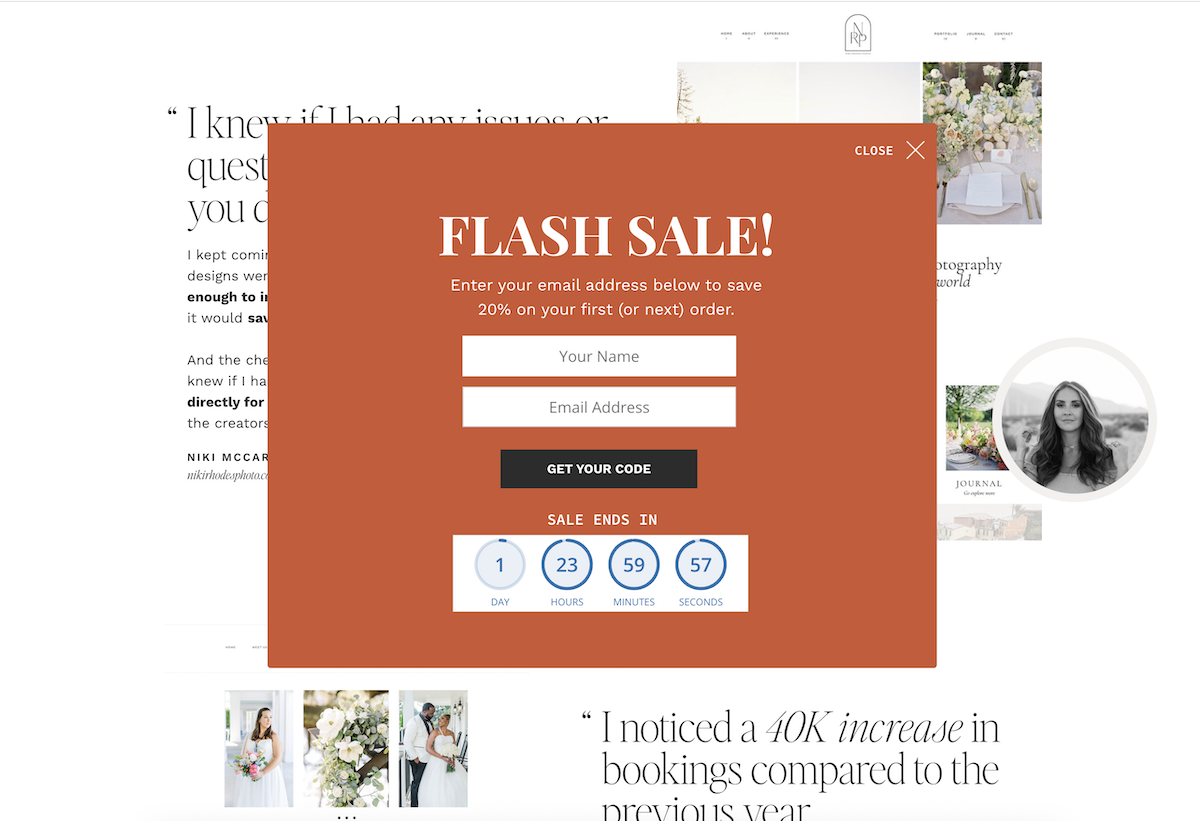
I will give you a moment with that.
If you have been on the fence about whether pop-ups are worth setting up, I hope those numbers just made the decision for you. Let’s get into exactly how to do it.
First, a Word About Showit’s Built-in Options
Showit does not have a native pop-up feature, and I want to save you the hour you might spend trying to build one from scratch inside the canvas editor before realizing it has the targeting capabilities of a cardboard box.
You CAN technically create something pop-up-ish in Showit using a full-window canvas with a button trigger. It will look fine. It will convert at roughly nothing because you cannot control who sees it, when they see it, or what happens after they hand you their email address. It is a very pretty placeholder and I say that with love.
For a pop-up that actually grows your list, you need a dedicated tool. We use BDOW! and I am about to tell you why with embarrassing enthusiasm.
BDOW! was acquired by Showit in 2023, which means it has a native integration that makes installation so simple it will make you suspicious. One Site ID. One field in Showit settings. Done. No page-by-page embed codes. No pasting HTML and hoping for the best. It just works, which in the world of third-party integrations is genuinely noteworthy.
The targeting controls are also legitimately powerful, and targeting is where most people leave a significant amount of money on the table. More on that in a minute.
Full disclosure because I believe in telling you things: we are an affiliate for BDOW! and earn a commission if you sign up through our link. We recommend it because we use it and the numbers you just read are real. Use code DAVEYANDKRISTA for 50% off your first year.
Step by Step: BDOW! on Showit
Step 1: Create Your Account
Go to bdow.com and sign up. You will be asked for your site URL during the process. Enter your Showit website address and BDOW! will take you to the install page. Very linear. Very pleasant.
Step 2: Find Your Site ID
In your BDOW! dashboard, hover over the Manage button next to your site name and select View Install Code from the dropdown. Copy the Site ID. This tiny string of characters is the only piece of code you need for the whole installation. Deeply satisfying.
Step 3: Add It to Showit
Open the Showit Design App. Go to Site Settings, click the Integrations tab, and paste your BDOW! Site ID into the field that is literally labeled for it. Hit Save. Publish your site.
That is the installation. I kept waiting for it to get more complicated the first time I did it and it just refused to. BDOW! is now running across your entire Showit site.
Step 4: Design Your Pop-up
Back in BDOW!, create a new form and select the pop-up format. The visual editor is straightforward and you design the whole thing there: headline, image, email field, button.
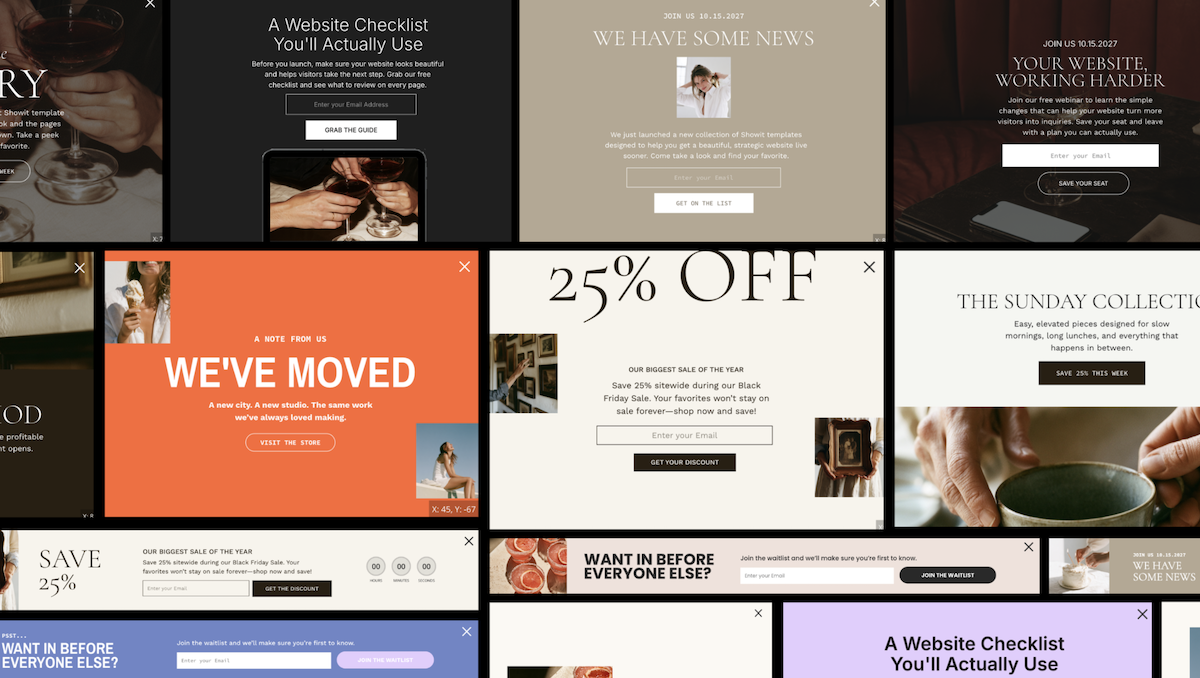
Here is what I have learned actually matters in the design.
Simple wins every time. One offer. One email field. One button. The pop-ups that convert best for us are embarrassingly simple. The ones with three fields, a paragraph of explanation, and a graphic that took four hours to design? They convert less. I know. It is annoying. Keep it simple anyway.
Write the headline as a benefit, not a label. “Get the free launch checklist” converts better than “Subscribe to our newsletter” every single time without exception. The person reading needs to know immediately what they are getting and why they should care. Give them that in the first line.
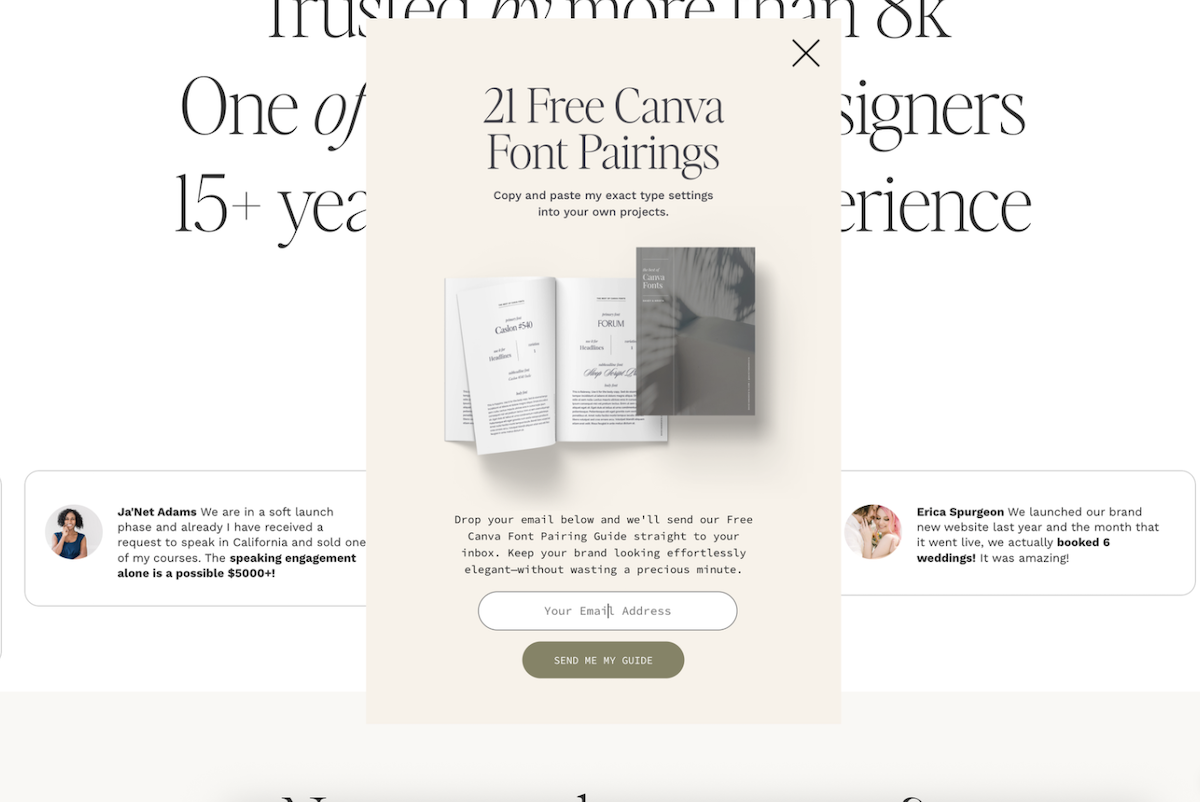
Add an image of your lead magnet. Even a basic mockup of a checklist or a guide cover makes the thing feel real and tangible instead of abstract. Conversion rates go up. It takes twenty minutes to make a simple mockup in Canva. Worth it.
Step 5: Write the Offer Like You Mean It
This is the step that determines whether all of this works, and it is the one people rush through because they are excited to get to the technical setup.
Please do not rush this.
The offer needs to solve a specific, real problem your ideal visitor has right now. Not a general interest. A specific itch. “Grow your email list” is general and forgettable. “The exact pop-up setup that brought in 16,447 subscribers” is specific and stops the scroll. One of those gets a yes and one gets a polite ignore and a closed tab.
Our best-performing pop-up offers have always been specific resources that speak directly to what someone is already reading when the pop-up appears. A visitor reading an SEO post gets an SEO checklist. A visitor on a template page gets a guide to choosing the right template. Match the offer to the moment and watch what happens.
Step 6: Set Your Targeting and Please Take This Seriously
This is the part I wish I had understood better years ago because it is where the real difference in performance comes from.
In the Visibility settings of your pop-up in BDOW!, you control everything that matters.
Which pages it shows on. Your SEO checklist pop-up should show on your SEO content. Not your about page. Not your contact page. Not on every single page of your site like a golden retriever who wants attention at all times. Relevant page plus relevant offer equals dramatically higher conversion.
When it appears. After a time delay, after a scroll percentage, or on exit intent. Exit intent is my personal favorite because BDOW! fires the pop-up when it detects someone is about to leave, which means you are catching them at the exact moment they would have gone anyway. You have nothing to lose and occasionally everything to gain.
New vs returning visitors. Showing a “welcome, here’s a gift!” pop-up to someone who has visited your site forty times and is clearly already a fan is a quick way to make them feel like you do not recognize them at all. Set it to show only to new visitors or to people who have not yet subscribed. Treat your loyal readers like they matter, because they do.
How often it shows. Once per session is a sane default. Every page load is how you train people to close your pop-up without reading it before they have even registered what it says.
Step 7: Connect Your Email Platform
In the integrations tab inside your form settings, connect BDOW! to your email platform. It connects directly with Kit and Flodesk along with most other major platforms. Choose which list or sequence new subscribers should flow into and confirm the connection is working.
This step is not optional. A pop-up that collects email addresses and sends them into a void is one of the more heartbreaking things that can happen to a list-building effort. Check it before you go live.
If you are still deciding between email platforms: Kit is what we recommend for designers and creators who want robust automation and segmentation. Flodesk is wonderful if you want beautiful templates and a gentler learning curve. Both play beautifully with BDOW! and with Showit.
Step 8: Test It Like a Suspicious Stranger
Activate your pop-up in BDOW!, then open your Showit site in a private browser window. Private mode treats you as a brand new visitor, which is exactly what you want for testing. Navigate to a page where your pop-up should appear, confirm it shows up and looks right, and submit a test email address to make sure it lands in your email platform correctly.
Then check it on your phone. Please check it on your phone. Mobile behavior is different from desktop and I have personally experienced the specific sadness of a pop-up that looks perfect on a laptop and completely broken on an iPhone. Check it before your visitors do.
The Pop-ups People Hate vs the Ones That Work
I want to say something about this because pop-ups have a reputation and some of it is deserved.
The pop-ups people hate are specific: they appear the instant you land on a page, cover the entire screen, offer something completely irrelevant to why you came, and then reappear every single time you visit like they have no memory of you whatsoever. That is not a pop-up problem. That is a targeting and offer problem.
A pop-up that appears after you have been reading for 30 seconds, offers something directly related to what you are reading, is easy to close, and does not show up again once you have dismissed it? That is genuinely useful. It is giving you something you might actually want at the exact moment you are interested in the topic. That is not manipulation. That is good timing and a good offer.
The difference is completely within your control. Set it up right and people will thank you for it. Set it up carelessly and people will be annoyed. The choice is yours and now you know how to make the right one.
What This Actually Looks Like in Practice
One pop-up. 16,447 subscribers. $279,417 in sales.
I share those numbers every time I talk about this because I think they matter more than any explanation I could give. We have spent years refining our pop-up strategy and we cover the full system inside our free email class at daveyandkrista.com/emails, including what to offer, how to write the copy, and what to send after someone subscribes.
And if you have not read our post on where to put an email opt-in on your website yet, that is the companion to this one. It covers the placement strategy and the data behind why pop-ups consistently outperform every other format. This post is the how. That one is the why. Read both.
Try BDOW! here and use code DAVEYANDKRISTA for 50% off your first year. Affiliate link, commission earned, genuinely recommended.
FAQs
Does Showit have built-in pop-ups?
Showit does not have a native pop-up feature. You can build a basic click-triggered overlay using a canvas but it has no targeting controls, no conversion tracking, and no email integration. For a pop-up that actually grows your list, BDOW! is the right tool and it installs on Showit with a single Site ID in under five minutes.
Will a pop-up slow down my Showit site?
BDOW! loads asynchronously, meaning it does not block your page from loading before the script runs. The impact on page speed is minimal and in most cases completely undetectable in speed tests.
Do pop-ups hurt SEO?
Poorly configured pop-ups that cover mobile content immediately on page load can be penalized by Google. A well-targeted pop-up that appears after a delay, is easy to dismiss, and does not block the main content on mobile does not negatively affect SEO. BDOW!’s targeting settings give you full control over timing and device behavior so you can stay safely on the right side of that line.
How often should a pop-up show?
Once per session is a sane and respectful default. You can also set it to show only once per visitor ever, which works well for time-sensitive offers. Show it enough times to convert the genuinely interested people and not so many times that everyone else develops a pavlovian response to close it before they have read a word.

Krista is the co-founder of Davey & Krista, a creative studio known for high-converting Showit website templates crafted for photographers, creatives, and entrepreneurs. With over 15 years of branding and marketing experience, she helps business owners launch stunning websites without the tech overwhelm. Krista also teaches designers how to turn their creative skills into a thriving business—through templates, courses, and behind-the-scenes strategy. When she’s not designing, you’ll find her chasing sunshine, color palettes, and gluten-free pizza.
Explore website templates and free resources at daveyandkrista.com.


VIEW THE COMMENTS
Add A Comment