


Table of Contents
How to Choose a Showit Template: A Buyer’s Guide
I have designed hundreds of websites over the last fifteen years, and if there is one thing I know for certain it is this: the template you choose is not just a design decision. It is a business decision.
The wrong template, no matter how beautiful it looks in a preview, will slow you down, limit your growth, and leave you rebuilding from scratch sooner than you’d like. The right one gives you a foundation that grows with your business, books the clients you actually want, and makes the whole process of getting your site live feel genuinely achievable.
So before you buy anything, let me walk you through exactly how I’d make this decision. Because I’ve seen what happens when people choose based on the wrong criteria, and I’ve also seen what happens when they get it right. The difference is significant.
For visual creatives who want full design control without code, Showit is my platform recommendation every time. And when you start from the right template, the whole process becomes so much more doable.
Start Here: What Does Your Website Actually Need to Do?
This is the question I ask every single client before we talk about anything else, and it’s the one most people skip when they’re shopping for templates on their own.
Your website has a job. And that job is not to look beautiful, though beautiful absolutely matters. Its job is to move a specific type of person from “I just found this business” to “I need to reach out.” Everything about which template is right for you flows from understanding exactly what that journey needs to look like for YOUR ideal client.
A wedding photographer needs her images front and center from the very first scroll, with a portfolio that tells the full story of a wedding day and an inquiry path that feels warm and obvious. A business coach needs a dedicated page for her offer, a section that explains her methodology, and a booking link that’s impossible to miss. A wedding stationer needs structured pages that walk a couple through a process they’ve likely never done before.
The template has to match how your business actually works. Get clear on what you need your site to accomplish and the decision gets so much easier.
The Mistake Almost Everyone Makes
When you land on a template shop, the first thing you see is the demo images. Beautiful photography, dreamy color palettes, a lifestyle that makes you want to completely rebrand on the spot.
And then you fall in love with a template based on how the photos look instead of whether the layout actually works for your business.
The photos in the demo are not your photos. When you install a template and swap in your own images and brand colors, it is going to look completely different. What you are actually buying is the structure underneath the design. The page flow. The way sections are ordered. The conversion logic built into where things live and how visitors move through the site.
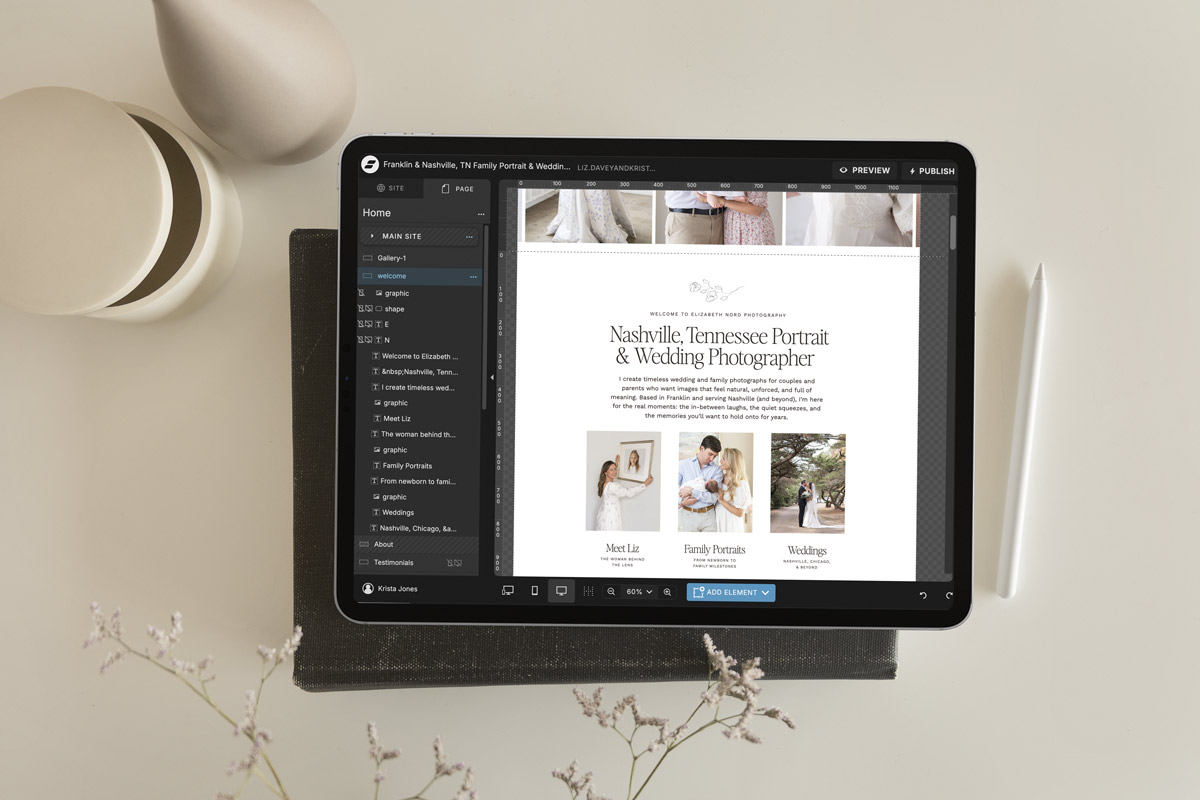
So when you’re browsing, I want you to look past the colors and photography and ask yourself: does this layout fit how my business actually sells? Does it give me the space I need for the things I want to say? Does the flow make sense for the journey my ideal client needs to go on?
That is what you’re really evaluating.
How to Match a Template to Your Business Type
Here’s how I’d think about it based on the type of business you’re running.
If you’re a photographer or visual creative, you need a template built around generous gallery space, a layout that lets your images lead, and a portfolio structure that tells the full story behind each project rather than just showing thumbnails. Amelia Island is our most loved template in this category. It’s editorial, refined, and built to make your images the first thing someone experiences when they land on your site. For photographers who want something bolder and more personality-driven, St. Vincent is worth a close look. And for natural light photographers with a clean, emotional aesthetic, Positano was designed with you specifically in mind.
If you’re a wedding stationer or detail-driven creative, you need structured pages that explain what a custom suite actually involves, walk a couple through your timeline, and build enough trust that someone who has never ordered custom stationery before feels completely confident reaching out. Bellagio was the first template we ever built specifically for the stationery industry, and the thinking behind every section reflects years of understanding how stationers sell.
If you’re a coach, educator, or service provider, you need a site that leads with the outcome you create, gives your offer its own dedicated space, and builds trust quickly through your story and your methodology. Palm Springs is our most comprehensive template for this audience, with pages for your program, your podcast, your blog, and a long-form sales page built right in. If you want something cleaner and faster to launch, Edisto is the most focused template in our shop. And for coaches and consultants who want something refined and editorial that positions them as an authority, St. Ives was built with exactly that goal in mind.
What to Look for Beyond the Design
Here is something I wish more people thought about before purchasing a template, and it’s the thing that sets our templates apart from most of what else is out there.
Writing prompts. Every Davey & Krista template ships with writing prompts built into every section of every page. Not placeholder text. Actual prompts that tell you what kind of message belongs there, what your visitor needs to understand at that point, and how to make it sound like you. The blank page problem is the number one reason people buy a template and never launch it. Writing prompts solve that completely.
A launch checklist. Getting a site live involves more moving parts than most people expect. A checklist means nothing slips through, from testing your contact form to setting your SEO page titles to checking how everything looks on your actual phone.
A tutorial video. Every full template in our shop comes with a walkthrough video made specifically for that design. Not a generic Showit tutorial. A video that shows you exactly how to customize YOUR specific template.
Real support. You can reach us at [email protected] and we actually respond. Because things come up, and you shouldn’t have to figure it out alone.
Don’t Choose Based on Color
I say this with so much love: please do not choose your template based on the color palette in the demo.
Colors are one of the fastest things to change in Showit. In about twenty minutes in Design Settings, you can swap every color across your entire site at once. The demo colors are just there to show you how the layout works. They have nothing to do with what your finished site will look like.
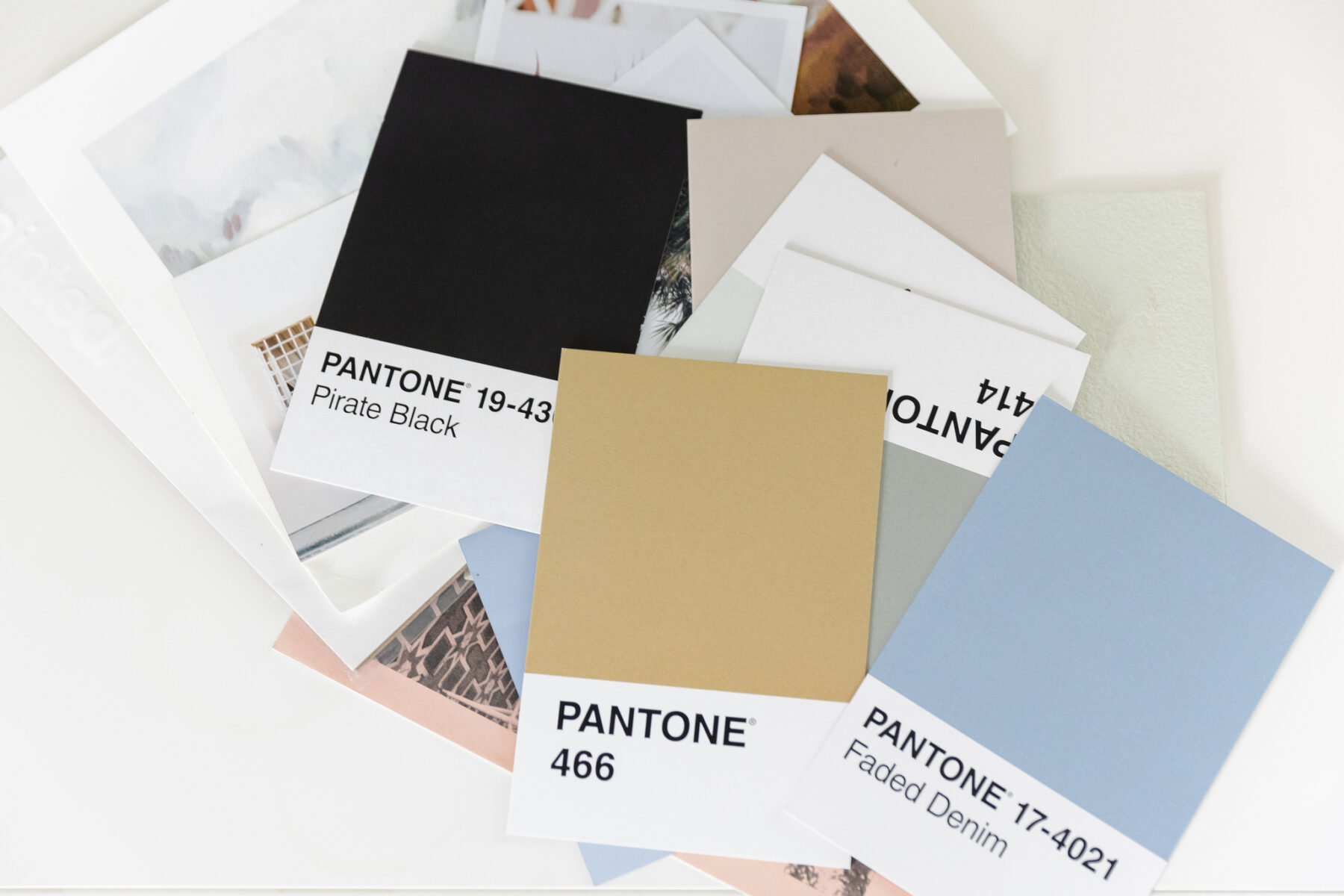
Choose based on structure. Choose based on the page flow. Choose based on whether the layout matches how your business actually sells. The colors are entirely yours to make.
Still Not Sure? Take the Quiz.
If you’ve read all of this and you’re still not sure which template fits your business best, that’s exactly why we built our free Find Your Template quiz.
It takes about two minutes, asks you a few questions about your business type, your aesthetic, and what you need your site to do, and points you toward the template that fits best. I’d genuinely start there if you’re feeling overwhelmed by the options.
And when you’re ready to browse, the full Davey & Krista shop is here. Every template includes writing prompts, a launch checklist, and a tutorial video so you’re never starting from nothing.
If you want a step-by-step guide to getting your chosen template live in a focused weekend, The Launch Plan walks you through the entire process from account setup to going live. It’s the fastest, most supported path from purchase to published that we’ve built, and I’m genuinely proud of it.
The right template is out there for you. You’re closer to a site you love than you think.
FAQs
How do I choose the right Showit template for my business?
Start with what your website needs to accomplish, not how the demo looks. Identify the pages you need, the journey your ideal client needs to go on, and the aesthetic direction that fits your brand. Then find a template with the right structure for your business type. Taking the free Find Your Template quiz is a great starting point if you’re not sure where to begin.
Are Showit templates easy to customize?
Yes, especially when they come with writing prompts and a tutorial video like every Davey & Krista template does. The biggest challenge most people face is knowing what to write in each section, which is exactly why the writing prompts are included. Colors and fonts update globally across the entire site in minutes through Design Settings.
How long does it take to launch a Showit template?
With your content prepared in advance, most people can customize and launch a Davey & Krista template in a focused weekend. The Launch Plan course walks you through the entire process step by step if you want guided support through the build.
What makes Davey & Krista templates different?
Every template in our shop ships with writing prompts for every section, a launch checklist, a tutorial video specific to that design, and access to our support team. You’re not just buying a design file. You’re getting everything you need to go from purchase to published, including the guidance that most template shops don’t provide.

Krista is the co-founder of Davey & Krista, a creative studio known for high-converting Showit website templates crafted for photographers, creatives, and entrepreneurs. With over 15 years of branding and marketing experience, she helps business owners launch stunning websites without the tech overwhelm. Krista also teaches designers how to turn their creative skills into a thriving business—through templates, courses, and behind-the-scenes strategy. When she’s not designing, you’ll find her chasing sunshine, color palettes, and gluten-free pizza.
Explore website templates and free resources at daveyandkrista.com.


VIEW THE COMMENTS
Add A Comment