


Table of Contents
The Website Launch Checklist We Use for Every Client Site
The night before a website launch, I always do the same thing.
I open THE checklist.
Not because I don’t know what needs to happen after 700+ client sites. I know. But I also know that the one time I don’t check is the time something breaks. A contact form that goes nowhere. A page title that still says “Home” in Google. An opt-in that sends subscribers into a void because nobody tested the connection before going live.
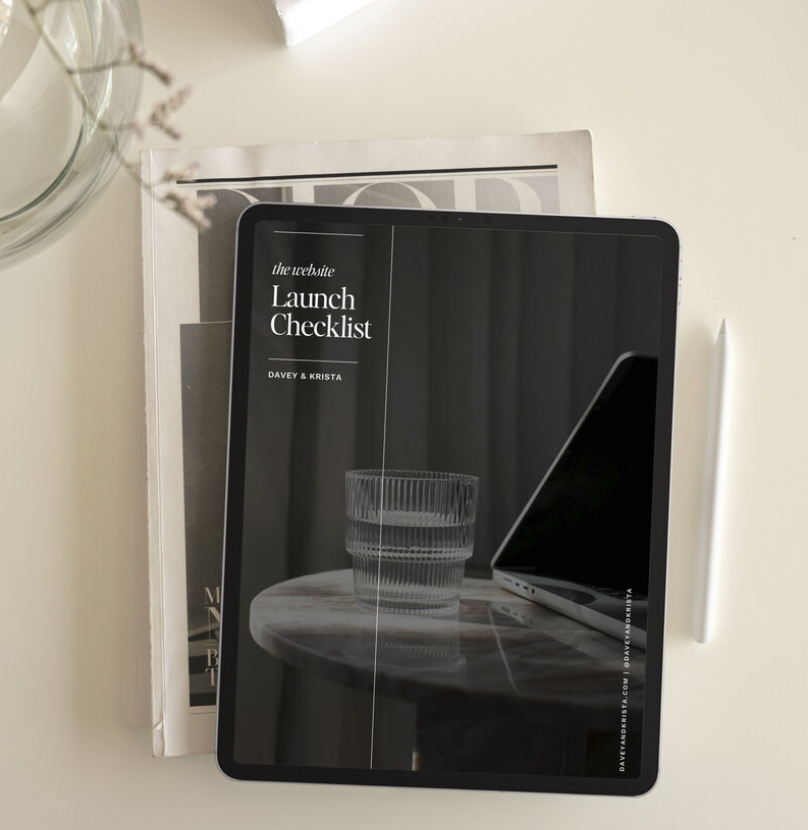
Before you launch a website, check that it works on mobile, that every form sends, that each page has a title and description, and that analytics and an email opt-in are live on day one. At Davey & Krista, we use the same website launch checklist on every single client site, and every template we sell ships with one included.
This post is that checklist. Use it.
Before Launch: Content, Images, Mobile, Forms, Links
This is the section most people rush because they are so ready to be done. Do not rush this section.
✅ Read every page out loud. I mean this literally. Out loud. You will catch typos your eyes have been skipping for weeks. You will notice sentences that made sense in your head but land strangely when you hear them. You will find the section that still has placeholder text in it. Yes, that happens. Even to people who have been doing this for years.
✅ Check every image. Make sure nothing is blurry, stretched, or taking forever to load. If you haven’t compressed your images yet, do it now at TinyJPG before you do anything else. A slow site is one of the fastest ways to lose a visitor who would have otherwise been a client.
✅ Go through your entire site on your actual phone. Not the mobile preview in Showit. Your real phone. There is a difference and you will feel it immediately. In Showit, you design your mobile site separately, which means you have full control over how it looks, but that also means it is possible for things to be off in ways the desktop view will never show you.
✅ Fill out every single form yourself. Your contact form. Your inquiry form. Your opt-in form if you have one embedded somewhere. Fill them out and make sure the submission actually lands in your inbox. This is the one I have seen go wrong most often. A beautiful website with a broken contact form is a website that is silently losing business every single day.
✅ Add your privacy policy and cookie consent banner. If your site collects any information at all, and it does the moment you add a contact form, an opt-in, or analytics- you need a privacy policy. We send every client to The Legal Paige for theirs. Her templates are written by an attorney who started out as a creative business owner herself, so they actually fit how we run our businesses. Link your privacy policy in your footer and next to every form.
Then add a cookie consent banner so visitors can choose what gets tracked. We recommend Optzi. It shows visitors in the EU and UK the strict opt-in they are required to get, and it lets you choose a lighter approach for everyone else. Keep the banner small, put it at the bottom of the screen, and check it on your actual phone so it never covers your menu or your “book a call” button.
✅ Click every link. Navigation links. Footer links. Buttons. The “book a call” button that you added six weeks ago and haven’t touched since. All of them. Broken links are embarrassing and they affect your SEO.
SEO Basics Before You Go Live
You do not need to have a complete SEO strategy on launch day. But you do need to have the basics in place, because getting these right from the start is so much easier than retrofitting them later.
✅ Every page needs a unique meta title. Not “Home.” Not “About.” Something that tells Google and your future visitors what that page is actually about. “Wedding Photographer in Annapolis, Maryland” is a page title. “Home” is not.
✅ Every page needs a meta description. This is the sentence or two that shows up under your page title in Google search results. Write it like you are talking to the person who is about to click. Because you are.
✅ Every image needs alt text. Alt text is a short description of what the image shows. It helps Google understand your images and it makes your site accessible to everyone. If you are a photographer, this is also one of the most powerful local SEO tools you have. Describing the content and location of your images adds up over time in ways that genuinely move the needle.
✅ Connect Google Search Console. It is free and it tells you what searches your site is appearing in, which pages are getting seen, and whether there are any issues Google has found. Set it up before you launch so you are collecting data from day one, not month three.
We use and recommend RankMath for managing SEO inside a WordPress-powered Showit blog. It walks you through optimizing every post and page in a way that is genuinely approachable even if SEO has always felt complicated.
When you are ready to go past the basics, Search Strategy School is our SEO and GEO course. It walks you through getting found in Google and in AI search tools like ChatGPT, with step-by-step guidance for Showit, WordPress, Squarespace, and more. It is the same strategy we use to bring traffic to our own shop.
Day One: Analytics, Opt-In, Launch Announcement
Your site is live. Here is what needs to happen in the first 24 hours.
✅ Confirm your analytics are working. Open your site in a browser while your analytics dashboard is open in another tab. If your visit shows up, you are good. If it does not, something in the setup needs attention. You want to be collecting data from the moment real visitors start arriving. If you have a cookie banner, click “Accept” first, then check that your visit shows up. If you decline, it should not.
✅ Make sure your email opt-in is live and connected. Whether you are using a pop-up through BDOW! or an embedded form, test it again now that the site is live. Submit your email and confirm it lands where it should inside your email platform. We use Kit and connect it to BDOW! for our pop-up. The combination works beautifully, but it needs to be tested on the live site, not just in the preview.
If you haven’t read our post on where to put your email opt-in yet, that is required reading before you go live. The placement matters more than almost any other conversion decision you make.
✅ Make your launch announcement. Tell people. Send the email. Post on Instagram. Share the link. Your website does not grow your business by existing. It grows your business by getting traffic. Tell everyone you know that you are open.
The First Week After Launch
Launch day is exciting. The first week is when you actually learn things.
✅ Check your inbox. Are inquiries coming in? If someone fills out your contact form, are you hearing about it promptly? If you are getting inquiries but they are the wrong fit, that is a messaging issue worth revisiting. If you are getting no inquiries at all, that is a traffic issue.
✅ Watch how visitors move through your site. Where are they landing? Where are they leaving? What are they clicking? If your analytics show that people are landing on your homepage and bouncing immediately, something is not connecting in those first few seconds. If they are making it to your services page but not inquiring, the page might need work.
✅ Fix what visitors trip on. This is not failure. This is the whole point of the first week. Every website needs to be adjusted after real people start using it. Real visitors find things you could not find in preview mode. Adjust, iterate, improve.
Every Davey & Krista Template Ships with This Checklist
One of the things I am most proud of about our templates is that you do not have to go looking for a website launch checklist after you purchase. It ships with every single template. Along with writing prompts for every section and a tutorial walkthrough specific to that design.
Our Amelia Island template is a beautiful example of this in practice. Editorial, gallery-heavy, built for photographers who want a site that books clients, and set up from the very first page with the structure that makes this checklist feel manageable instead of overwhelming. Same with Bellagio, which was built specifically for stationers and detail-driven creatives who have a lot to communicate and need a site that does that work efficiently.
If you have already bought a template and you want the full step-by-step experience of getting from blank canvas to live site, The Launch Plan is the course that walks you through every single step with video guidance at each stage. It was built for people who want to launch in a focused weekend and actually do it.
And if you want to go deeper on what templates include launch checklists and why that matters more than most people realize before they buy, our post on Showit templates that come with launch checklists covers exactly that.
One more thing. If you are reading this in early November, watch your inbox. We have something coming for Black Friday that you are going to want to be first to hear about. Get on the VIP list at daveyandkrista.com and I will make sure you know before anyone else.
FAQs
How long does it take to launch a website?
With content prepared in advance, including your copy, images, and brand colors, most people can customize and launch a Davey & Krista Showit template in a focused weekend. The writing prompts and launch checklist included with every template significantly reduce the time spent on the parts that usually take longest.
What should a website have on day one?
On day one your website needs a working contact form, page titles and meta descriptions on every page, an email opt-in that is connected to your email platform, analytics that are set up to collect data from the first visit, and a privacy policy with a cookie consent banner. Everything else can be refined over time. These five things should not wait.
Do I need SEO before I launch?
You need the basics before you launch: unique page titles, meta descriptions, and image alt text on every page. A complete SEO strategy can come after launch, but getting the foundational setup right from the start is much easier than adding it later. Our Showit SEO Course covers the full strategy when you are ready to go deeper.
What is the Website Launch Plan?
The Website Launch Plan is a Davey & Krista course that walks you through getting your Showit site from blank template to live site, with video guidance at every step. It is designed to be completed in a focused weekend and covers everything from account setup to announcing your launch. Learn more here.

Krista is the co-founder of Davey & Krista, a creative studio known for high-converting Showit website templates crafted for photographers, creatives, and entrepreneurs. With over 15 years of branding and marketing experience, she helps business owners launch stunning websites without the tech overwhelm. Krista also teaches designers how to turn their creative skills into a thriving business—through templates, courses, and behind-the-scenes strategy. When she’s not designing, you’ll find her chasing sunshine, color palettes, and gluten-free pizza.
Explore website templates and free resources at daveyandkrista.com.


VIEW THE COMMENTS
Add A Comment