


Search Engine Optimization (SEO) is always evolving, and it requires a bit of technical know-how. Fortunately, if you’re a WordPress user, there are plugins designed to help you with your SEO goals. Reason 892,472,901 you should be using WordPress.
Our favorite SEO plugin for WordPress is Yoast SEO. Yoast SEO is one of the most downloaded SEO plugins for WordPress, and is trusted by millions of users. The folks over at Yoast are always updating the plugin when new information is made available about search engine algorithms.
But best of all, the Yoast SEO plugin provides a great user experience that doesn’t leaving you guessing about whether you’re using the plugin correctly. Green, orange, and red indicators let you know what’s optimized and what’s not resulting in less time agonizing over posts.
This post is the first of a series that will explain how to use the Yoast SEO plugin for WordPress. Today we’ll focus on installing the Yoast SEO plugin on WordPress and geting started.
Quick note: It’s easy to import data from another SEO plugin (like All-in-One SEO) if you’re interested in switching to Yoast SEO. See the end of this post for details.
How to install Yoast SEO for WordPress:
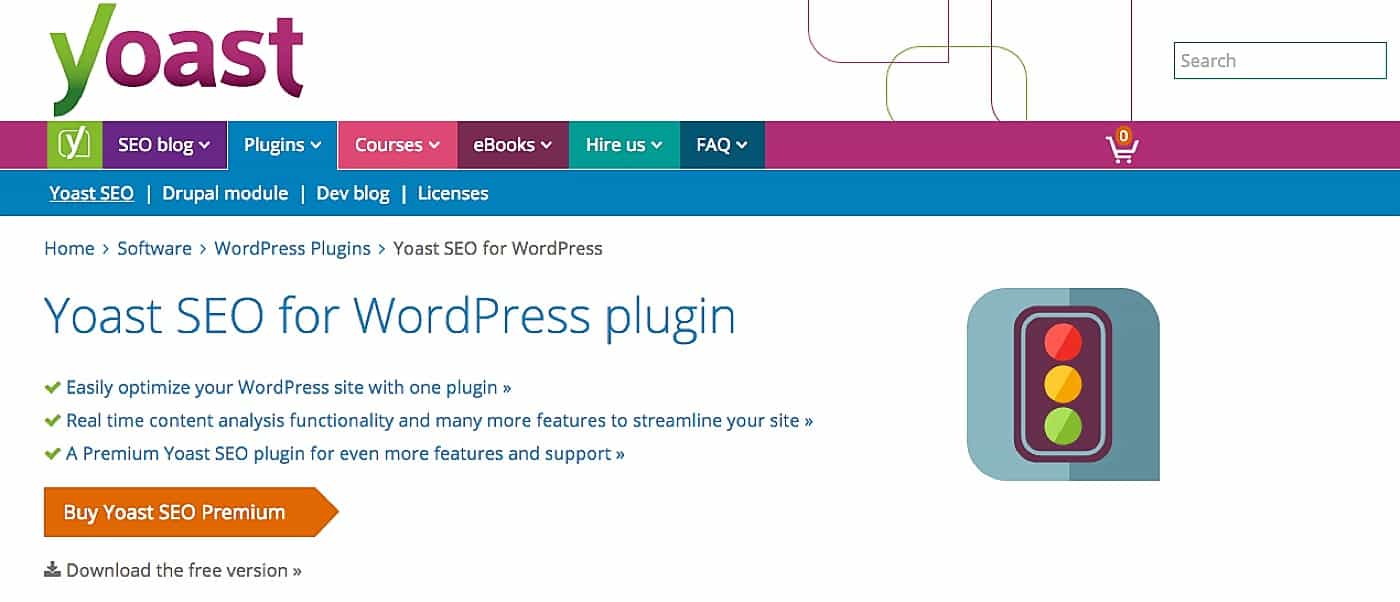
- Search https://yoast.com/
- Select Plugins > Yoast SEO
- Choose between the free or premium version ($69). The free version is GREAT. You should be content if you select it. But the premium version is better, and has features like a redirect manager, multiple focus keywords, social previews, and premium support.
Explore the full Yoast SEO feature list here.
Downloading the free Yoast SEO plugin:
- Select Download the Free Version » (right below the Premium CTA)
- A zip file named wordpress-seo.zip will download
- In WordPress select Plugins > Add New
- Click Upload Plugin at the top of the page.
- Upload the zip file (wordpress-seo.zip) and activate the plugin.
Downloading the premium Yoast Seo Plugin:
- Select Buy Yoast SEO Premium and choose a quantity of licenses.
- Complete the checkout process.
- After completing the checkout process, you’ll receive an email with a receipt, download instructions, and a license key. Do not lose the license key.
- Installing the premium version will be very similar to installing the free version (see directions above), but you will need to input your license key to get access to the premium features.
Getting Started Using the Yoast SEO plugin for WordPress
At the end of every blog post you should see a box that looks like this:
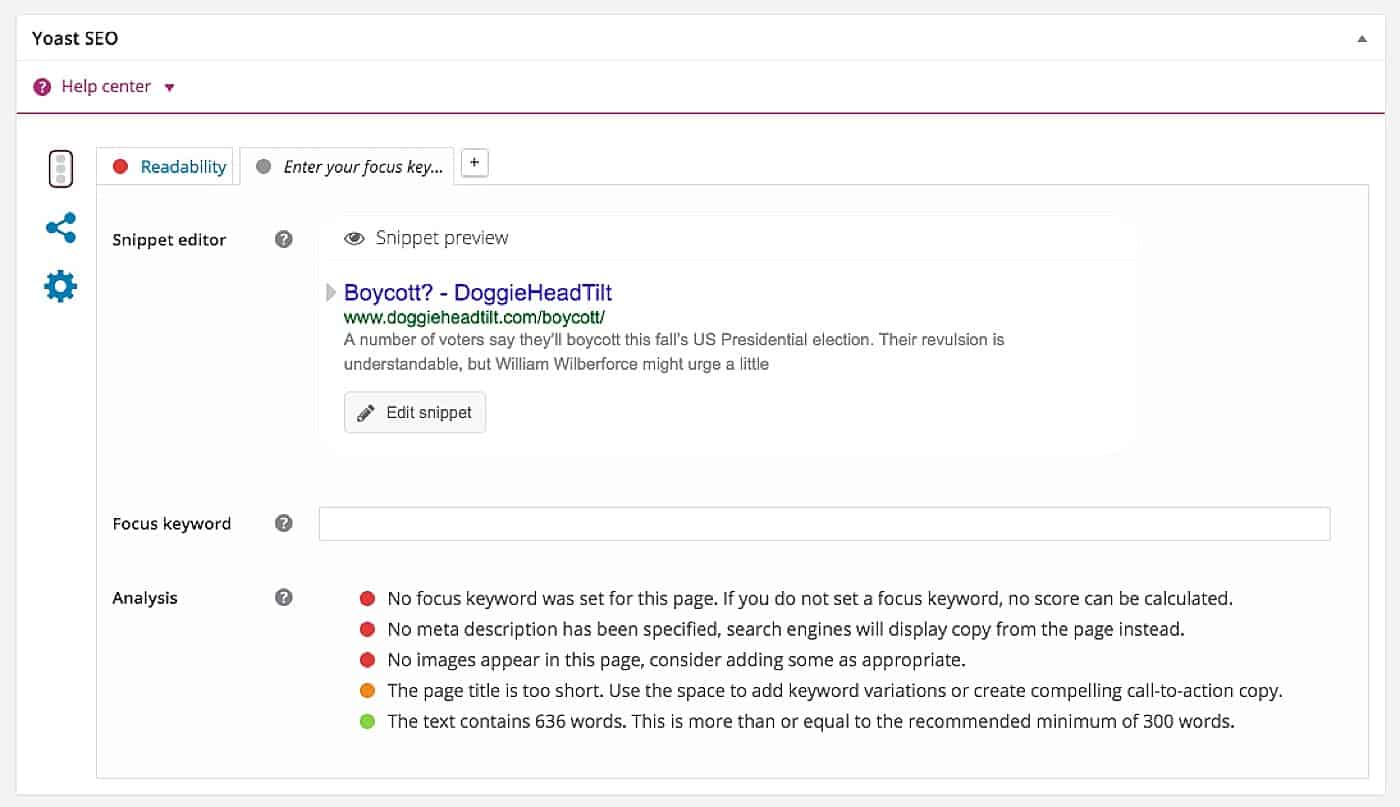
After choosing a focus keyword, the Yoast SEO plugin will complete an analysis of your post based on your keyword. Take a few moments and make changes to the post based on the red indicator lights. It’s not necessary to get rid of every red indicator light, but do the best you can.
Switching from another SEO Plugin to Yoast SEO?
If you were using another WordPress plugin like All-in-One, you can import your information to Yoast.
- Find SEO in the left navigation of WordPress and select Tools.
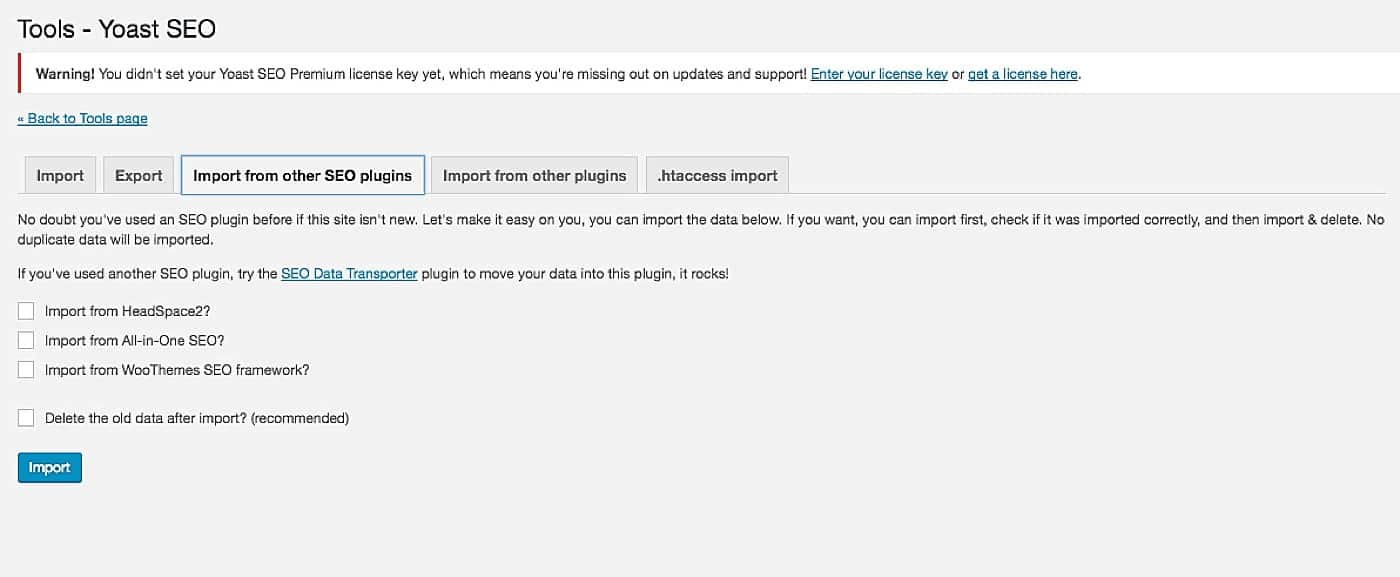
- Select Import and Export, then Import from other SEO plugins.
- Find and select the appropriate plugin.
Be sure to check the blog as we discuss best practices for using the Yoast SEO plugin. Have SEO or Yoast questions you’d like us to cover? Let us know in the comments below!

Davey is the co-founder of Davey & Krista, a creative studio known for high-converting Showit website templates crafted for photographers, creatives, and entrepreneurs. He helps businesses craft an answer to that question and then develops a strategy for communicating it. After years of running agencies that have managed millions in ad spend, he’s seen firsthand the power of effectively answering that question.
Explore website templates and free resources at daveyandkrista.com.


VIEW THE COMMENTS
Add A Comment