


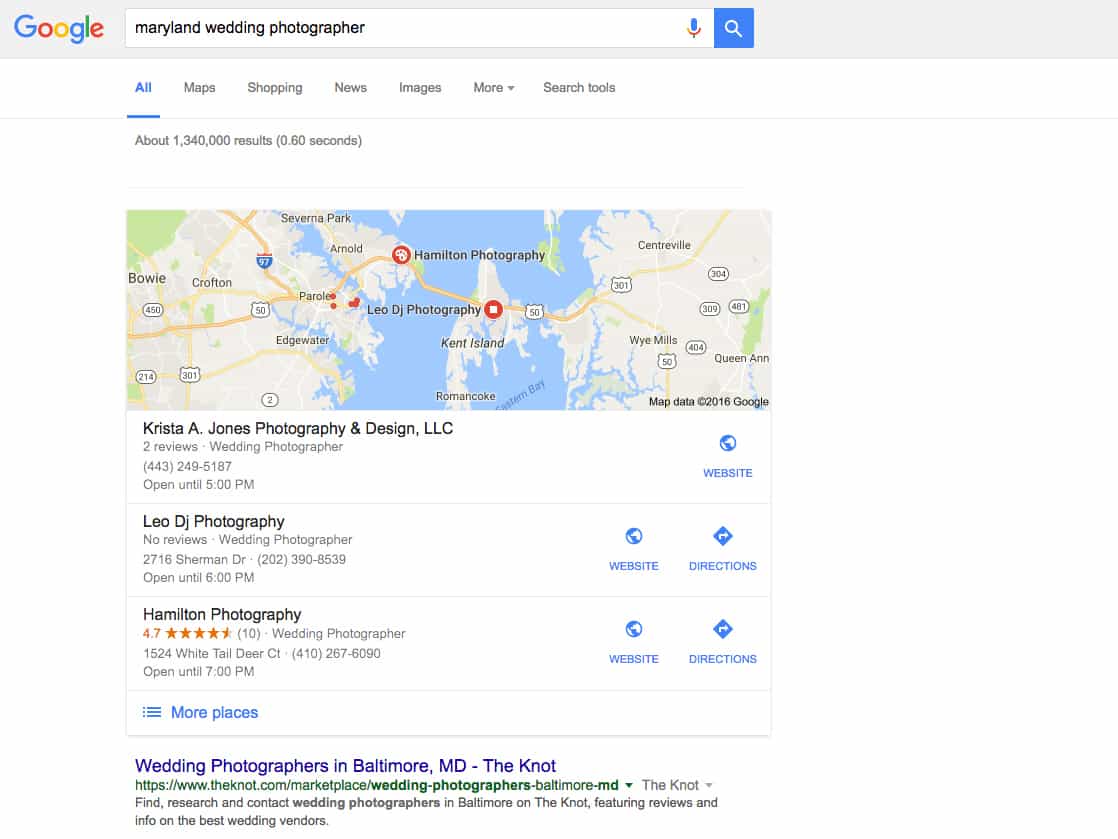
You know when you google something like “pizza near me”—which we do a lot—and Google somehow provides you with a list of local pizza joints? Yeah, Google knows where you are.
When people conduct a search, Google uses their geographic location (if available) in an attempt to deliver the most relevant results. This is more relevant for some businesses than others, but our guess is most of you serve people in your local area, and thus would benefit from appearing in local results.
Creating a Google My Business listing can increase the likelihood you appear in local results.
And if you already have a Google My Business listing, take today to either revisit that listing and make sure everything is up-to-date, or revisit yesterday’s task and work on some keyword research.
And for those of you who think you may have done this or something like this ages ago, a note from the Google My Business FAQ: If you previously used Google Places for Business or Google+ Pages Dashboard to manage your business information, your account has been automatically upgraded to Google My Business.
If you work out of your home and are worried about your address appearing: When you choose a business type—storefront, service area, or brand—if you choose “service area,” you can select the areas your business serves, and hide the specific address of your business so it’s visible only to you. (If you have concerns about how Google handles your privacy, you should reach out to them for more information.)
How to create a Google My Business listing:
Creating a Google My Business listing is relatively easy, but the directions may vary. For instance, Google might already have a listing created for you that you can “claim” or perhaps you created a listing when it wasn’t called Google My Business. The directions below are for those who are creating a listing from ‘scratch’. Follow the prompts and call Google if necessary—we’ve found their phone support to helpful!
STEP 1. Go to https://www.google.com/business/. If you want someone from Google to walk you through creating this listing, there’s a number to call on the website. Otherwise, proceed to STEP 2…
STEP 2. Select SIGN IN and login into your the Google account associated with your business (if you don’t have a Google account, create one—it’s free!).
STEP 3. Select the type of business: Storefront, Service Area, or Brand. If you serve people at a physical location (like a bakery), select storefront. If you have a service area (like a photographer without a studio), choose service area. (Note: If you choose Brand, you’ll be prompted to create a Google+ page, which is about as relevant as a MySpace page.)
STEP 4. After you’ve selected either Storefront or Service Area, you’ll be brought to a page with a map and asked to enter your business name. If your business appears, you’ll have the opportunity to “claim” it (then follow Google’s prompts). If not, select “I’ve correctly entered the name and address: Let me enter the full business details.”
STEP 5. Enter the full details of the business and select Continue.
At some point you’ll need to verify with Google so they know everything is on the up-and-up. Usually they’ll send you a verification code in the mail to verify the address you provided actually exists.
After creating a Google My Business listing…
You’ll be able to add photos, hours of operation, and other information. We suggest completing your listing as fully and accurately as possible. If someone lands on your listing, you want to make sure it represents your business well.
Creating a business listing is an opportunity to show up on the first page of Google when your website might otherwise not appear on the first page. However there no guarantees you’ll show up in the top few spots of local searches or in local searches.
As with everything else search engine related, you’ll need to do some optimization work. Businesses with stronger local networks are more likely to appear near the top of local searches. For instance, having quality, relevant links to your site from other local businesses could help.
We hope you found these directions on how to create a Google My Business listing helpful! Please let us know if you have any questions in the comments.

Davey is the co-founder of Davey & Krista, a creative studio known for high-converting Showit website templates crafted for photographers, creatives, and entrepreneurs. He helps businesses craft an answer to that question and then develops a strategy for communicating it. After years of running agencies that have managed millions in ad spend, he’s seen firsthand the power of effectively answering that question.
Explore website templates and free resources at daveyandkrista.com.


VIEW THE COMMENTS
Add A Comment