


I have built websites on both WordPress and Showit for more than fifteen years, for photographers, creatives, and service providers of every kind. I have spent late nights untangling a WordPress site that broke after a plugin update, and I have watched a creative launch a stunning Showit site in a weekend and never think about maintenance again. So when someone asks me WordPress vs Showit, I do not answer from a spec sheet. I answer from experience.
Here is the honest comparison, including where Elementor and Divi fit in, and why Showit is the one I recommend to most creatives. One thing to know up front: Showit actually connects to a WordPress blog, so this is not the either-or choice it sounds like. You can have the easy design and the WordPress SEO at the same time.
WordPress vs Showit: which is better?
For most creatives and service providers, Showit is better. It gives you a fully custom, drag-and-drop design with no code and no maintenance, and it pairs with a WordPress blog so you still get WordPress-level SEO. WordPress on its own, usually with a page builder like Elementor or Divi added on top, offers more raw power and control, but it comes with a steep learning curve, constant plugin upkeep, and a lot more that can break. Choose WordPress only if you need a complex, developer-level site. Otherwise, Showit wins.
The twist most comparisons miss is that Showit includes a WordPress blog, so you are not actually choosing between beautiful design and strong SEO. With Showit, you get both, and you skip the part of WordPress that eats your weekends.
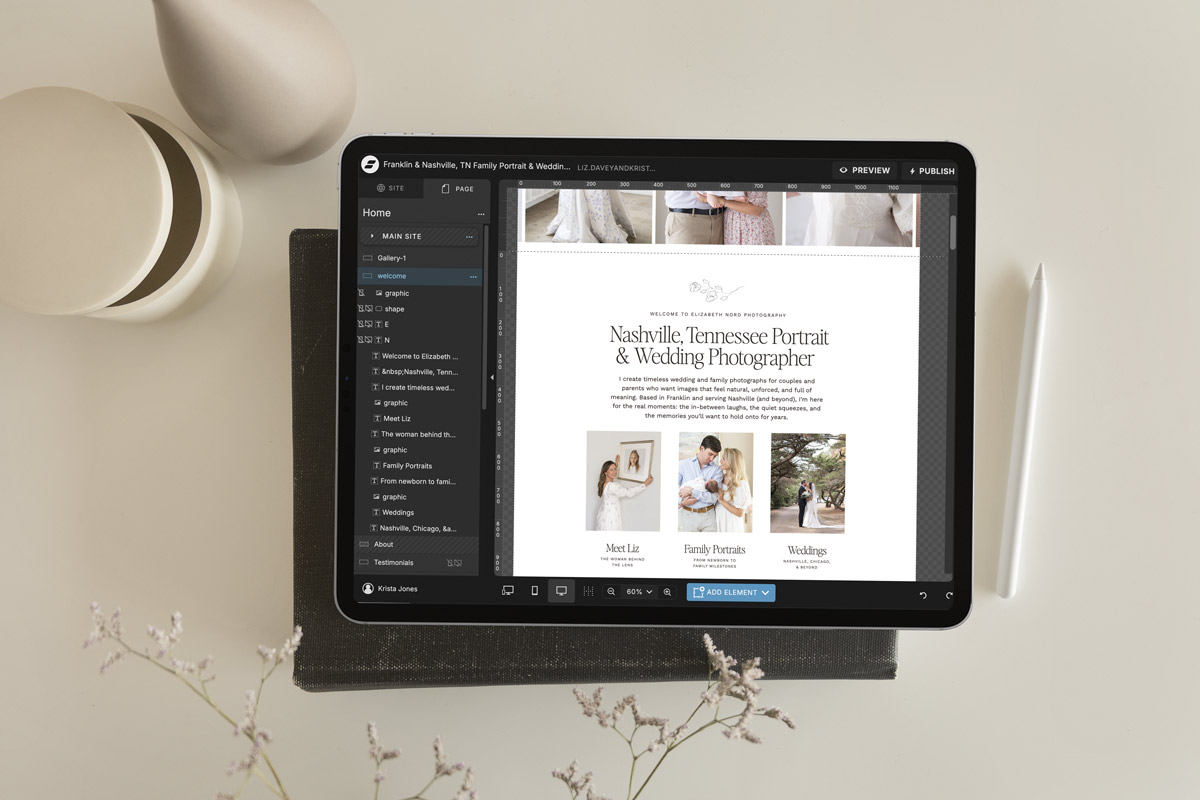
Showit vs WordPress at a glance
Here is the short version before we go deeper. Showit wins on design freedom, ease of use, and maintenance, while WordPress with Elementor or Divi wins only on raw technical ceiling, which most creatives never need.
| What matters | Showit | WordPress (with Elementor or Divi) |
|---|---|---|
| Design freedom | Highest, true drag-and-drop on a blank canvas | High, but constrained by your theme and builder |
| Learning curve | Gentle, no code | Steep, especially at first |
| Maintenance and updates | Handled for you | Ongoing: plugins, themes, security |
| Blogging and SEO | WordPress blog built in | Full WordPress SEO |
| Mobile control | Separate desktop and mobile design | Responsive, but less hands-on control |
| Performance | Fast, fully hosted | Depends on hosting and plugin bloat |
| Best for | Creatives who want beautiful without the tech | Developers and complex, custom builds |
| Cost | About $19 to $34/mo all-in | Hosting + theme + builder + upkeep |
What is WordPress, and where do Elementor and Divi fit in?
WordPress is a free, open-source platform that powers a huge share of the internet, and on its own it is not a visual design tool. To design pages without code, most people add a page builder like Elementor or Divi on top of a theme. That stack is powerful and endlessly flexible, but you are responsible for the hosting, the updates, the security, and keeping every plugin playing nicely together.
Elementor and Divi make WordPress far more visual, and plenty of good sites are built on them. The catch is that they layer more code and more to maintain onto a system that is already complex. When something breaks after an update, it is on you to figure out why, and that is time you are not spending on your actual business.
What is Showit?
Showit is a drag-and-drop website builder made for creatives who want a fully custom look without code. You design on a true blank canvas, you control desktop and mobile separately so both look intentional, and Showit handles the hosting and updates for you. It also connects a WordPress blog, so your content and SEO run on WordPress while your design stays effortless. If you want the full picture, here is what Showit is and why creatives use it, plus my honest Showit website builder review.
The one tradeoff is that a blank canvas can feel like a lot at the start. A strong template solves that instantly by giving you the custom look and the strategy already built in, so you customize in a weekend. Our Showit templates are made to do exactly that.
Showit vs WordPress: design and ease of use
Showit wins on both design freedom and ease of use. Its blank canvas gives you more true creative control than a WordPress theme with Elementor or Divi, and it does it without the learning curve. WordPress can be made to look like almost anything, but getting there means wrestling themes, builders, and settings, and then keeping all of it working. With Showit, what you design is what you get, and you can move any element anywhere.
Showit vs Elementor and Divi: the page builder question
If you are weighing Showit against Elementor or Divi specifically, you are really comparing a purpose-built design tool to a plugin bolted onto WordPress. Showit gives you truer drag-and-drop freedom, cleaner separate mobile control, and none of the plugin maintenance. Elementor and Divi are capable and popular, but they can slow your site down, break on updates, and still cap your design inside a theme’s underlying structure.
To be fair, Elementor and Divi make sense if you are already committed to WordPress for other reasons, or you need a specific plugin ecosystem that only WordPress offers. For most creatives who just want a beautiful, easy-to-run site, Showit gets you there faster and keeps it that way.
Maintenance, security, and updates
This is where Showit saves you the most. Showit hosts your site and handles updates, so there is nothing to patch and very little that breaks. A WordPress site running Elementor or Divi is a stack of plugins, themes, and a page builder that you have to keep updated, secure, and compatible, and any single one of them can take your site down at the worst possible moment. If you do not want to be your own IT department, that difference is everything.
SEO: can you rank on Showit vs WordPress?
Both can rank, and Showit gives you WordPress SEO without the WordPress hassle, because your blog runs on WordPress. You get the content depth, the SEO plugins like Rank Math, and the control that help you rank, all inside a platform that is far easier to maintain. On raw technical ceiling, a hand-tuned WordPress site can go a little further, but most creatives never need that level, and many never reach it because the upkeep gets in the way first. If you want the exact steps, our SEO course for creatives walks through it.
Showit vs WordPress: cost comparison
Showit is usually cheaper once you count everything. At the time of writing, Showit runs about $19 to $34 per month all-in, including hosting and the WordPress blog. A WordPress site looks cheaper at first glance, but you pay separately for hosting, a premium theme, a page builder like Elementor or Divi, and often a developer when something breaks. Add it up and Showit is frequently the better value, with far fewer surprises. Confirm current pricing on each platform before you commit.
WordPress vs Showit: which should you choose?
For most creatives, choose Showit. It wins on design, ease, maintenance, and value, and it still gives you WordPress SEO through its blog. Choose WordPress with Elementor or Divi only if you genuinely need developer-level complexity or a specific plugin ecosystem. If you are also weighing Squarespace, our Squarespace vs Showit comparison covers that one.
Choose Showit if
You want a fully custom look without code, you do not want to manage plugins and updates, you want your mobile site to look designed rather than squished, and you want to blog for SEO without running a full WordPress build yourself. This is most photographers, creatives, and service providers. Browse our Showit templates if that sounds like you.
Choose WordPress with Elementor or Divi if
You need a complex, developer-level site, a specific plugin ecosystem, or a highly custom membership or e-commerce build, and you have the time or the developer to maintain it. WordPress is incredibly powerful in the right hands. Just go in knowing the upkeep is part of the deal.
Frequently asked questions
Is Showit better than WordPress?
For most creatives, yes. Showit gives you a fully custom, drag-and-drop design with no code and no maintenance, and it pairs with a WordPress blog for SEO. WordPress offers more raw power, but with a steep learning curve and constant upkeep. Showit is the better choice unless you need a complex, developer-level site.
Does Showit use WordPress?
Showit uses WordPress for its blog. Your website design lives in Showit, while your blog and its SEO run on a connected WordPress install. That combination is a big reason Showit is so appealing, because you get WordPress-level content and SEO without having to build and maintain a full WordPress site.
Showit vs Elementor: which is better?
For most creatives, Showit is better than Elementor. Showit is a purpose-built design tool with true drag-and-drop freedom and no plugin maintenance, while Elementor is a page builder added onto WordPress that can slow your site down and break on updates. Elementor makes sense mainly if you are already committed to WordPress.
Showit vs Divi: which is better?
Showit is the better pick for most creatives who want a beautiful site without the tech. Divi is a capable WordPress theme and builder, but like Elementor it layers more code and more maintenance onto WordPress. Showit gives you cleaner design control and separate mobile layouts without the upkeep.
Is Showit good for SEO compared to WordPress?
Yes, because Showit blogs on WordPress. You get the content depth, SEO plugins like Rank Math, and control that help you rank, inside a platform that is far easier to maintain. A hand-tuned WordPress site has a slightly higher technical ceiling, but most creatives never need it and never reach it because of the upkeep involved.
Is Showit cheaper than WordPress?
Usually, once you count everything. Showit runs about $19 to $34 per month all-in, including hosting and the blog. WordPress looks cheaper at first, but you pay separately for hosting, a premium theme, a page builder like Elementor or Divi, and often a developer for fixes. Confirm current pricing before you decide.
Can I move my WordPress site to Showit?
Yes, and many people do. The key is planning your content and setting up 301 redirects from your old URLs so your SEO carries over. Our guide on how to migrate website platforms walks through the steps so you do not lose the traffic you have built.
Do I need to know how to code to use Showit or WordPress?
You do not need to code for either, but Showit is far easier. Showit is fully drag-and-drop with no plugins to manage. WordPress with Elementor or Divi is also no-code to design, but you still have to handle hosting, updates, and plugin compatibility, which is where the real technical work lives.
Who should still choose WordPress over Showit?
Choose WordPress if you need developer-level complexity, a specific plugin ecosystem, or an advanced membership or e-commerce build, and you have the time or a developer to maintain it. WordPress is extremely powerful in the right hands. For most creatives who want a beautiful, low-maintenance site, Showit is the better fit.
The bottom line
For most creatives, Showit is the better choice over WordPress. It gives you a fully custom look, none of the plugin maintenance, and WordPress-level SEO through its built-in blog, all for less than a typical WordPress stack once you add it up. WordPress with Elementor or Divi is powerful, but it asks you to be your own developer. Showit lets you stay the creative.
If you want the custom look without the blank-canvas overwhelm, a strategic template gets you there in a weekend. Explore our Showit templates, and if you would rather hand the whole thing off, our custom website design services are here when you are ready. Either way, you can breathe. You do not have to figure this out alone.

Krista is the co-founder of Davey & Krista, a creative studio known for high-converting Showit website templates crafted for photographers, creatives, and entrepreneurs. With over 15 years of branding and marketing experience, she helps business owners launch stunning websites without the tech overwhelm. Krista also teaches designers how to turn their creative skills into a thriving business—through templates, courses, and behind-the-scenes strategy. When she’s not designing, you’ll find her chasing sunshine, color palettes, and gluten-free pizza.
Explore website templates and free resources at daveyandkrista.com.


VIEW THE COMMENTS
Add A Comment