Course Details —

Get paid to be creative. Turn the creative energy you already have into a thriving design business: designing Showit websites, booking real clients, and building a work life that fits the way you're wired.

  • Days
  • Hours
  • Minutes
  • Seconds

Save 25%

Use the code Spring30 at checkout to save 25%

Thanks for reading!
Interested in having us design a high converting website for you? Click here. Or check out our stunning line of easy-to-customize brand + website templates.

Defining a Brand Aesthetic

Build Your Website & Brand

filed in

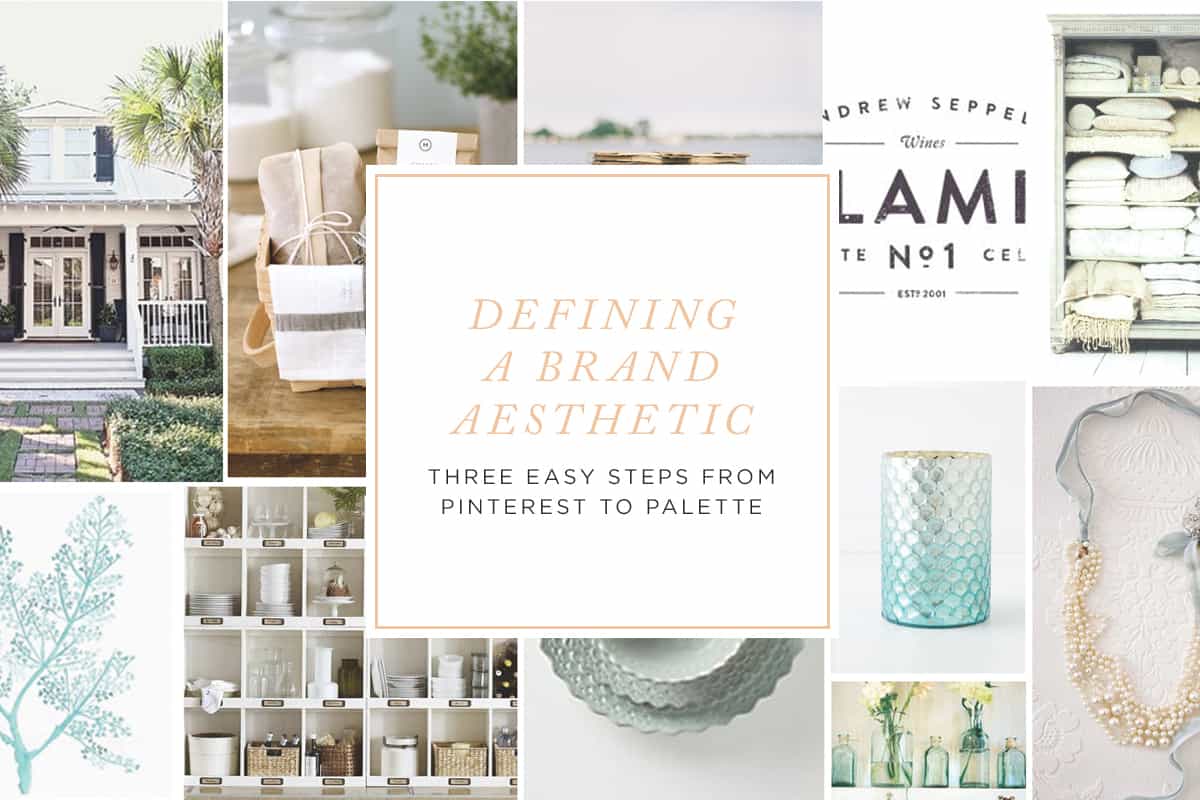
I’m often asked how I come up with color palettes for brands. Color palettes help begin to set the overall aesthetic for a brand, and thus serve as an important aspect of a brand project. While we usually recommend that someone hire a brand designer to help craft a brand, this is an activity that anyone can complete—even without design experience.

I ask all of my branding clients to complete a branding questionnaire that tells me more about the heart behind their businesses, but I also ask them to pull together a Pinterest board. The board can contain a few logos and other design elements, but in general I can learn so much more about a client when they pin interior design, outfits, wallpaper, accessories, invitations, wedding inspiration and artwork.

So if you’re thinking about branding but you’re feeling completely lost and overwhelmed, I recommend going through the following process:
Define a Brand Aesthetic | Davey and Krista

Step 1

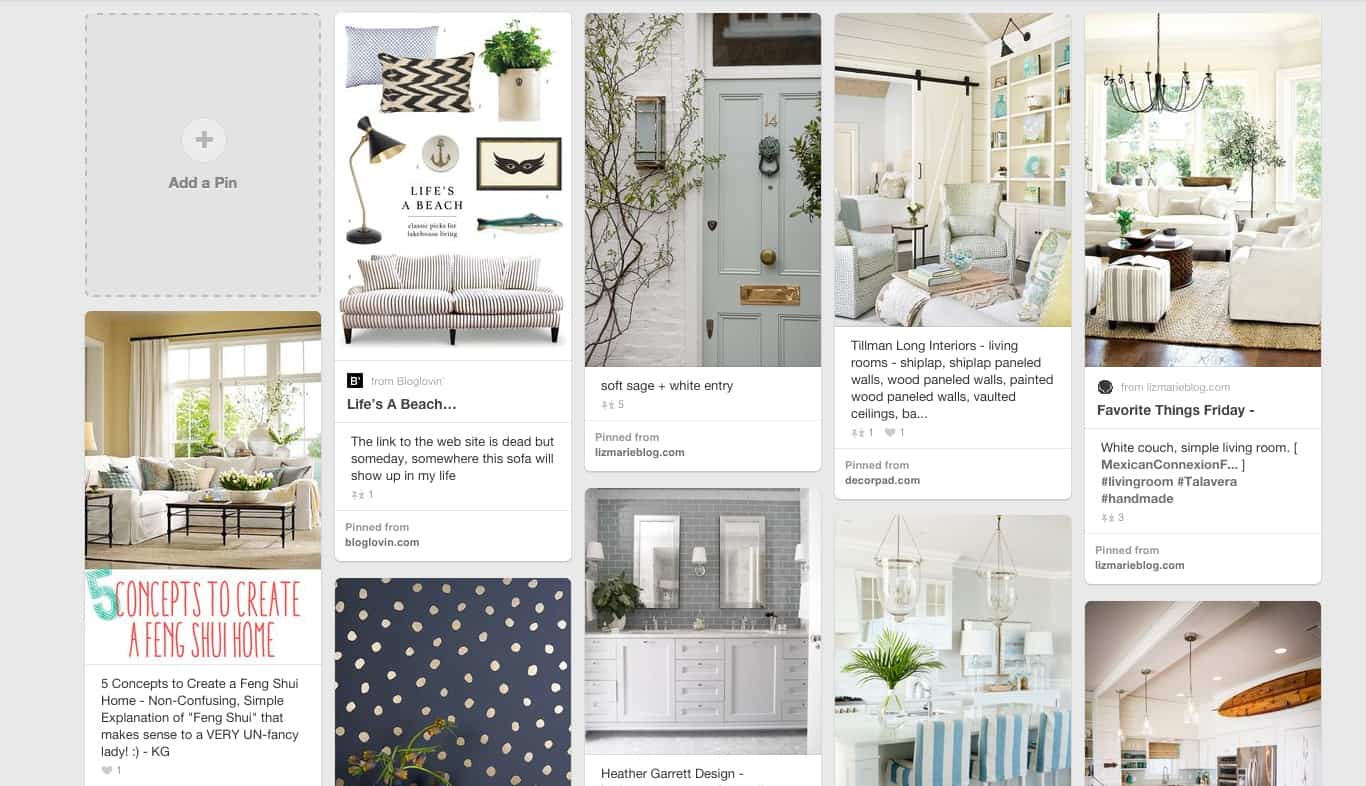
Create a new (secret) board in Pinterest. Go back through all of your past pins and add the ones that really feel like you to that new board. You can even add some of your own work to the board.

If you don’t have a lot of pins yet, or most of your pins are recipes, try searching for home inspiration, outfits, specific colors and even mood words like “romantic”, “classic” or “rustic”.
Define a Brand Aesthetic | Davey and Krista

Step 2

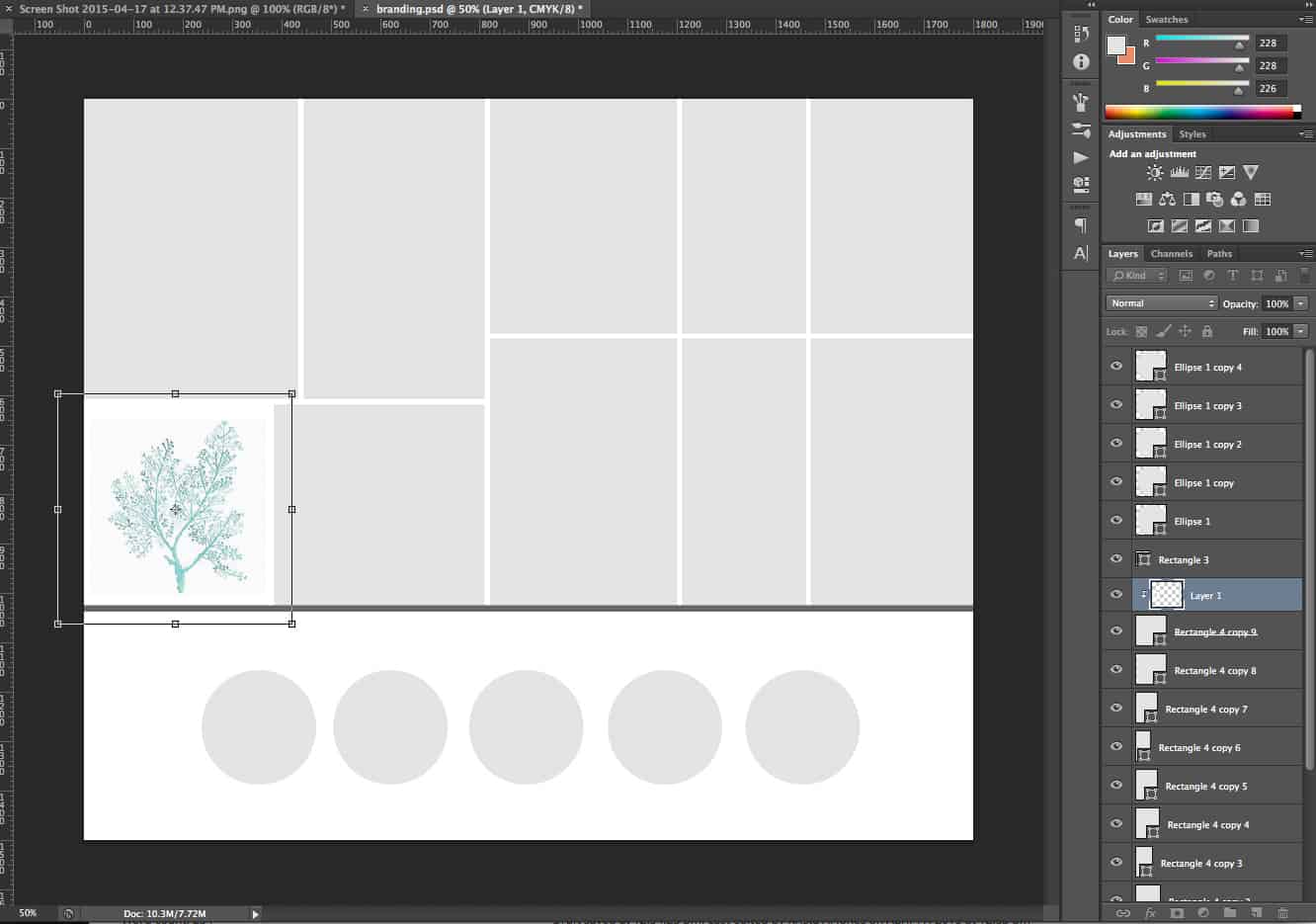
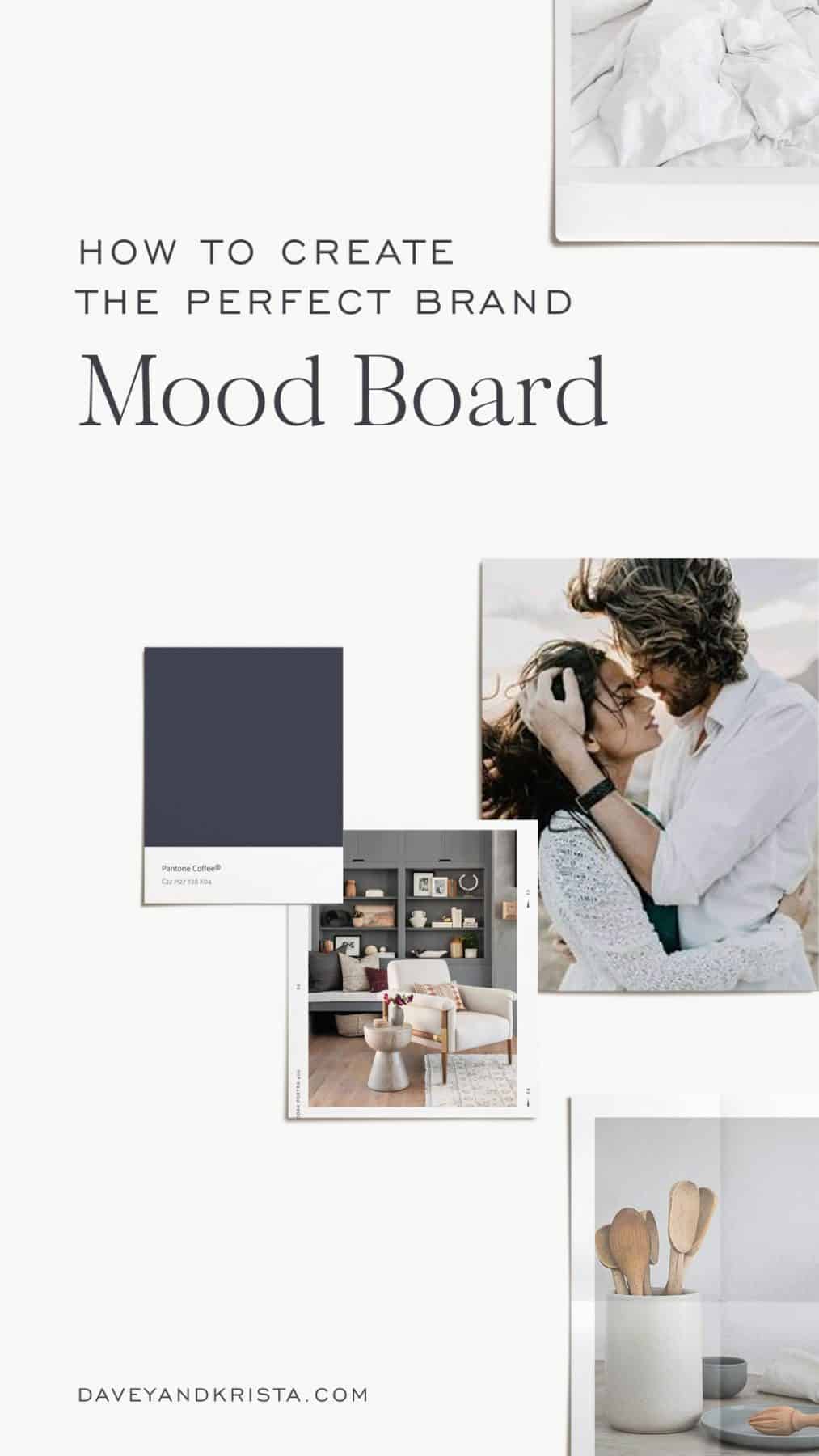
Once you have that board together and refined to your favorite thirty or so pins, open up Photoshop and start adding your all time favorite pins to the document.

Download the Photoshop Mood Board Template


** download will only work on a desktop computer
Define a Brand Aesthetic | Davey and Krista

Step 3

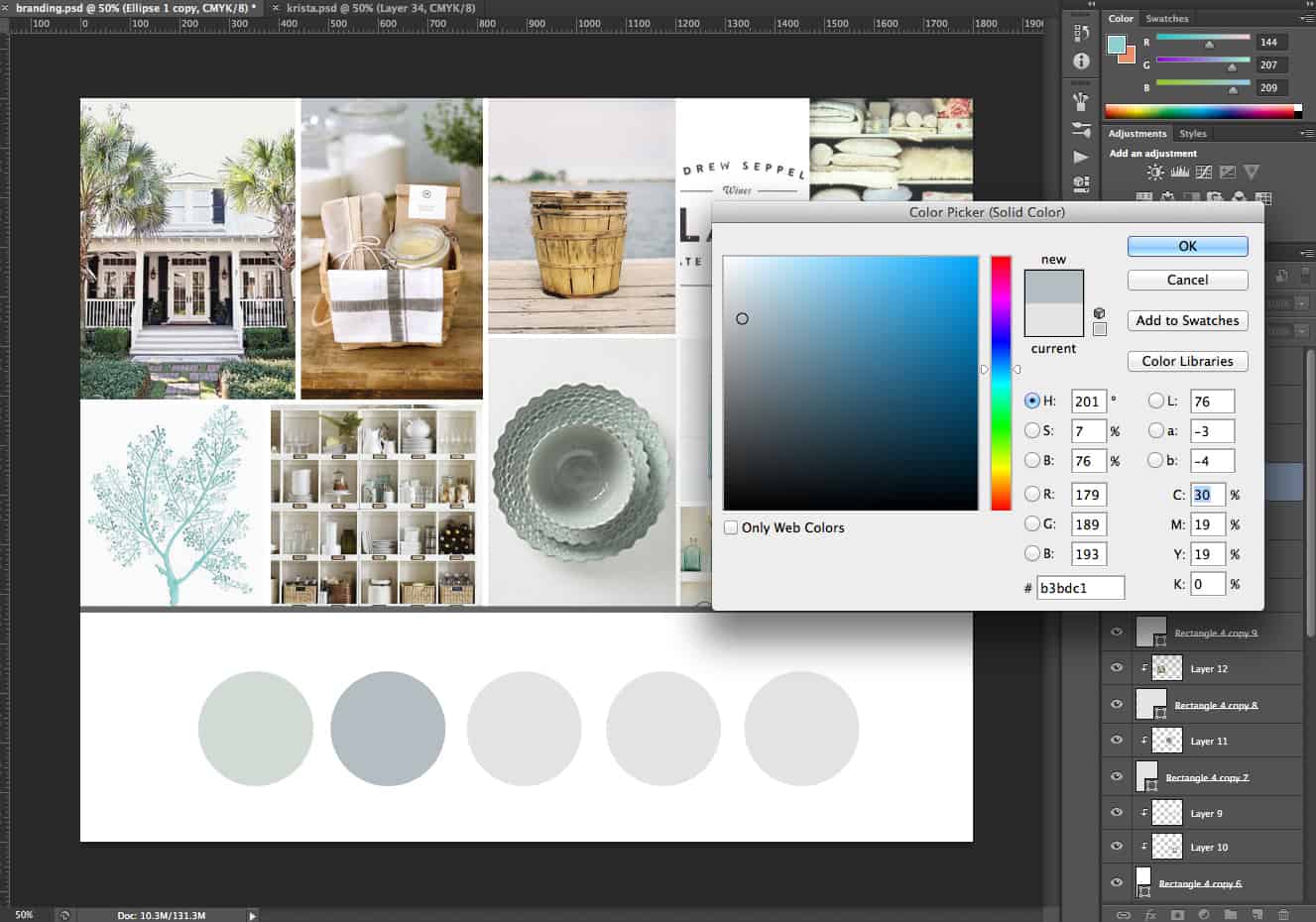
From there, use the eyedropper tool in Photoshop to sample the images and create a color palette. It might sound difficult, but if you’re choosing your favorite pins, themes and color palettes tend to emerge pretty naturally!
Define a Brand Aesthetic | Davey and Krista

Step 4

Implement it! Use the mood board and color palette you just created to help change the colors on your website, to choose client gifts and even to help figure out what to share on Instagram!
Pin It

SHARE THIS POst

Leave a Reply

Your email address will not be published. Required fields are marked *

  1. Natalie says:

    Absolutely brilliant!

  2. Renee says:

    Incredible! This whole process blows my mind!!!

  3. Maria says:

    This was so very helpful! Thank you for sharing!

  4. Tessa Blackstone says:

    I absolutely love this process! I will be working on this tonight!! <3

  5. This is inanely helpful! Thank you!

  6. Tamara Folsom says:

    i LOVE IT! sIMPLE THINGS NOT THOUGHT OF…THANKS SO MUCH!!

  7. Daisy Clark says:

    This is so helpful! Thank you!!

  8. melanie says:

    This is so helpful! thank you! Any quick tutorials that you know of on how to add a photo to the template within PS? I am struggling to add the photos correctly.

  9. Kendall says:

    Starting a brand and doing this immediately! So brilliant

  10. Bianka says:

    Wow. Way to simplify this process. Absolutely love it.

  11. Lucinda says:

    Thank you that is so helpful

  12. Jaya Avendel says:

    I have a fair idea of the colors and feel I have in mind and use right now on my blog, but I love the idea of delving a little deeper and expanding my options by trying out this Pinterest board inspired idea.
    Thanks for sharing!

  13. The content on your blog is extremely interesting and informative. I really like it a lot. The work you have done is fantastic. Your post is fantastic, thanks for sharing.

  14. This blog is very informative.

  15. Cody says:

    I was always wondering how people did this. I’m going to have to do this sometime. I’ve always wanted to feel like a brand but had no idea where to start lol.

  16. Now I have no excuse to not blog. Thanks so much!!

  17. This is such a great idea! Might be even easier now with Canva (they’ll do a document colors automatically!)

  18. Sam says:

    This is a great blog post! Thank you for your insight!

  19. Stephanie says:

    Exactly what I was looking for! Thanks!

  20. Kayla M says:

    Just what I needed. Wanted to start blogging but needed help getting started.

  21. Kelsey says:

    Fantastic ideas! Thanks so much!

  22. Nadya says:

    Omg this was so helpful!! Now I can work on my brand for the new year.

  23. Jenna says:

    Very inspiring. Helpful content for me while I am rebranding my business! Thank you!

  24. Jessie says:

    Love this! Thanks for the tip.

  25. Angela says:

    Thank you! Fantastic idea – I love it!

  26. Calli says:

    Thank you so much for another amazingly helpful article!

  27. Angela says:

    OH my! Simple yet such a smart idea! I love it! Thank you for sharing.

Your website should be bringing in clients while you sleep. If it isn't, it's probably missing a clear strategy — and this free guide shows you exactly where to start.

 THE FREE GUIDE

7 Website Fixes That Turn Visitors Into Paying Clients

    FREE GUIDE

    FREE GUIDE

    Meet Davey & Krista

    We've spent 15+ years designing brands and websites for creative businesses — and paying close attention to what actually works.

    Every template we've built is informed by real client projects, real conversion data, and a deep understanding of what makes someone go from browsing to booking. We don't just design for beautiful. We design for what happens after someone lands on your page.

    That's why our templates don't just come with files. They come with the guidance to use them — writing prompts, launch checklists, and systems that take you from purchase to published.

    We also teach. Our designer courses are where we train the next generation of designers, and DesignEdit is our newsletter for working creatives who want to stay ahead of AI. All of it comes from the same place: the belief that good design should make your business feel lighter, not harder.

    we're Davey & Krista 

    GET TO KNOW US

    SEND ME MY GUIDE

    Your website should be bringing in clients while you sleep. If it isn't, it's probably missing a clear strategy — and this free guide shows you exactly where to start.

    grab the free guide

    DESIGNERS - GRAB YOUR FREE GUIDE