


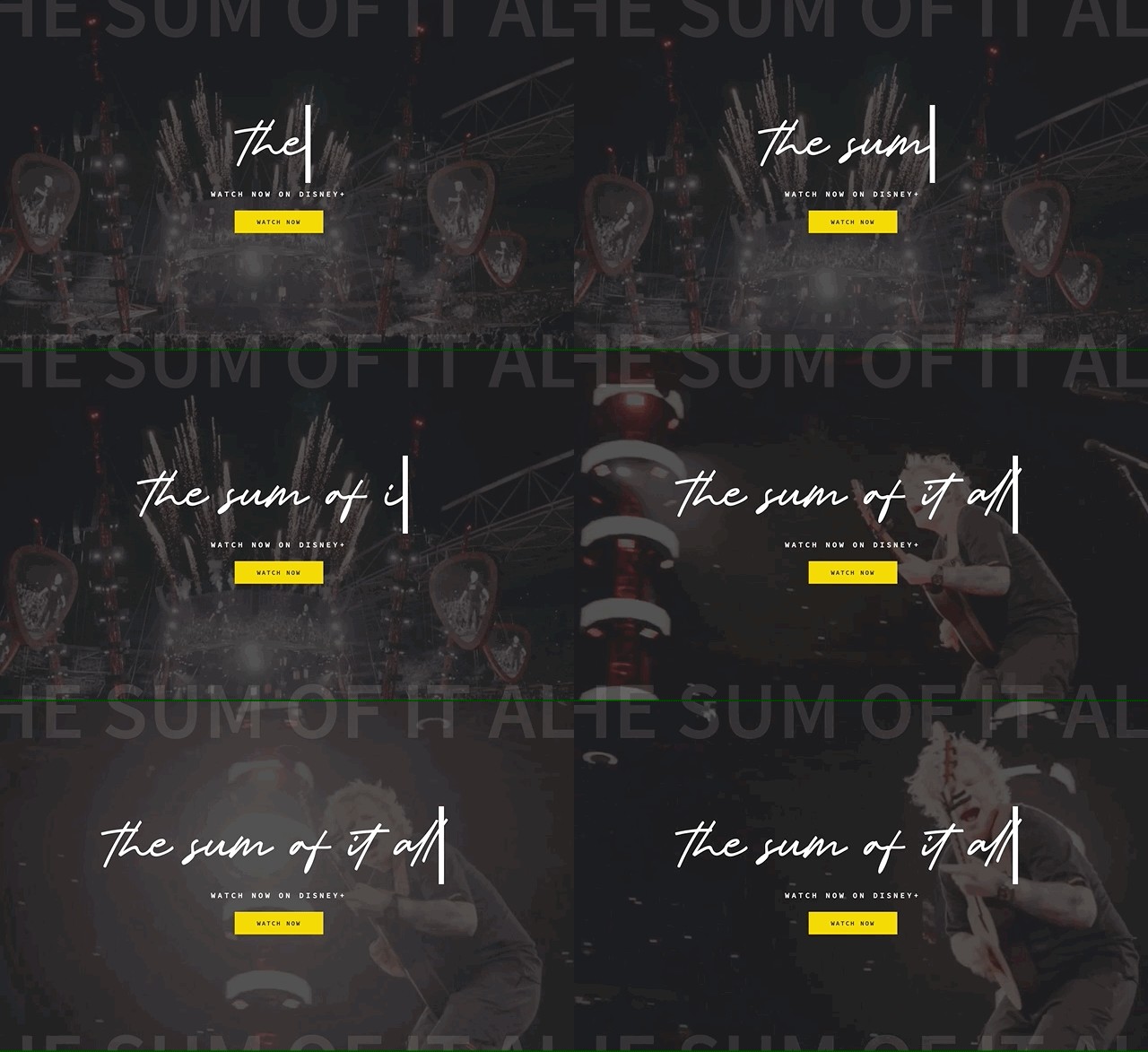
Since sharing our Ed Sheeran design concept on Instagram, several people have reached out asking us how to add an animated typing text effect to their website. In this post, we’ll teach you how to add this effect to both Showit and Elementor websites.
Adding Animated Typing Text in Elementor
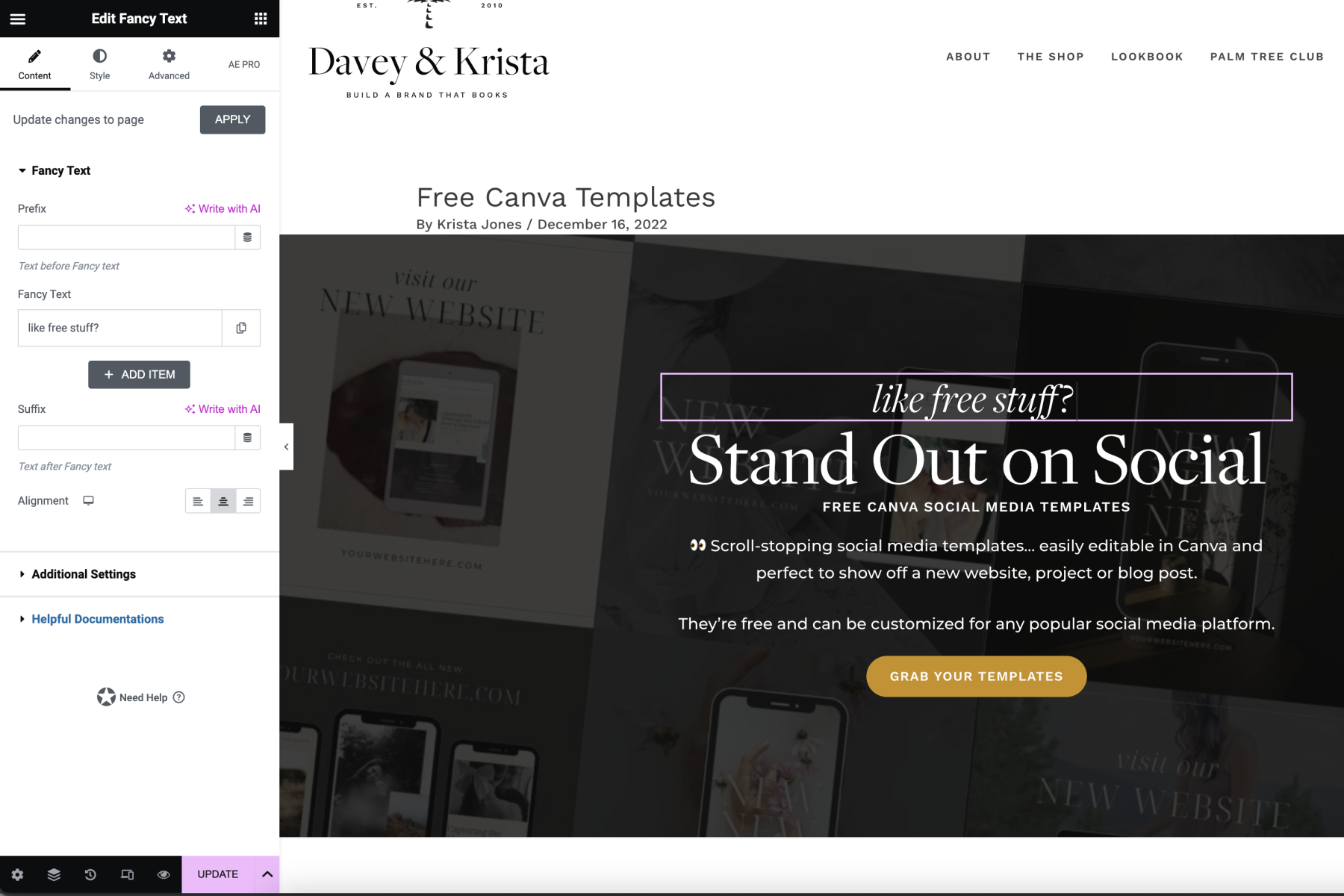
We’ve used this animated text effect on our website for quite some time. There are a number of plugins that will add this, but we like Essential Addons.
After installing the plugin, activate the Fancy Text element. Then edit a page with Elementor, find the Fancy Text module, and drag it into your page. From there you can customize the text, timing, formatting, etc. We love how easy it is to format this box without any code.
How to add Typing Text to a Showit Website
Adding typing text to a Showit website requires a bit more work as you’ll need a bit of code.
Add this code to the the page using an embed box. You’ll want to change the text “you see below “The Sum of it all” and “watch now” to your text.
<center><a href="" class="typewrite" data-period="2000" data-type="[ "The sum of it all", "Watch Now" ]">
<span class="wrap"></span>
</a></center>
Add this code to the CSS section of your page:
.typewrite{
    color: white!important;
    text-transform: lowercase;
    line-height: 1;
    font-size: 140px;
    text-align: center;
    font-family: 'Delight Mother';
    font-weight: 400;
    font-style: normal;
}


/* Tablets in portrait mode (768-980px) */
@media only screen and ( min-width: 768px ) and ( max-width: 980px ) {
   .typewrite{
    font-size: 80px;

}
}

/* Phone And Below */
@media all and (max-width: 479px) {
    .typewrite{
    font-size: 50px;

}
}
Add this section of code to the javascript portion of your page:
var TxtType = function(el, toRotate, period) {
        this.toRotate = toRotate;
        this.el = el;
        this.loopNum = 0;
        this.period = parseInt(period, 10) || 2000;
        this.txt = '';
        this.tick();
        this.isDeleting = false;
    };

    TxtType.prototype.tick = function() {
        var i = this.loopNum % this.toRotate.length;
        var fullTxt = this.toRotate[i];

        if (this.isDeleting) {
        this.txt = fullTxt.substring(0, this.txt.length - 1);
        } else {
        this.txt = fullTxt.substring(0, this.txt.length + 1);
        }

        this.el.innerHTML = '<span class="wrap">'+this.txt+'</span>';

        var that = this;
        var delta = 200 - Math.random() * 100;

        if (this.isDeleting) { delta /= 2; }

        if (!this.isDeleting && this.txt === fullTxt) {
        delta = this.period;
        this.isDeleting = true;
        } else if (this.isDeleting && this.txt === '') {
        this.isDeleting = false;
        this.loopNum++;
        delta = 500;
        }

        setTimeout(function() {
        that.tick();
        }, delta);
    };

    window.onload = function() {
        var elements = document.getElementsByClassName('typewrite');
        for (var i=0; i<elements.length; i++) {
            var toRotate = elements[i].getAttribute('data-type');
            var period = elements[i].getAttribute('data-period');
            if (toRotate) {
              new TxtType(elements[i], JSON.parse(toRotate), period);
            }
        }
        // INJECT CSS
        var css = document.createElement("style");
        css.type = "text/css";
        css.innerHTML = ".typewrite > .wrap { border-right: 0.08em solid #fff}";
        document.body.appendChild(css);
    };
Have questions? Leave us a comment below.
And if you’re interested in customizing your own website, check out the base design we used for the Ed Sheeran site.

Krista is the co-founder of Davey & Krista, a creative studio known for high-converting Showit website templates crafted for photographers, creatives, and entrepreneurs. With over 15 years of branding and marketing experience, she helps business owners launch stunning websites without the tech overwhelm. Krista also teaches designers how to turn their creative skills into a thriving business—through templates, courses, and behind-the-scenes strategy. When she’s not designing, you’ll find her chasing sunshine, color palettes, and gluten-free pizza.
Explore website templates and free resources at daveyandkrista.com.


VIEW THE COMMENTS
Add A Comment