


(Yes, the links in this post are affiliate links, but we would never share a tool with you that we don’t believe in.)
MailChimp—it’s not you, it’s me.
MailChimp is simple to set-up and get started. And things are fairly straightforward—you build a list, and send those people emails. If that’s all you’re looking to do, then MailChimp might be a good fit for you.
But, if you’re looking for something that’s just as easy to use but more robust, look no further than Kit. Kit is an email marketing solution for professional bloggers. With Kit, we easily create forms, manage our list, create sequences, and make sure the right people are receiving the right emails.
Related: Kit vs. Flodesk
Here are 5 things we love about Kit:
1. Increase Click Rates with Tags and Segmenting
Kit makes it easy to tag users and segment your list. We generally tag users by interest and the channel they found us.
For instance, anyone who downloads our branding activity guide is tagged “branding.” This way we know what that subscriber is interested in, and we’re able to send her relevant, high-value content. That’s the goal right? Providing people with relevant, valuable content.
2. Keep People Engaged with Intuitive Sequence Creation
Creating a mailing sequence in Kit is exactly how you’d expect it should be set-up. Each email in the sequence has its own tab, so we can easily switch between the emails in the sequence without having to close and reopen windows.
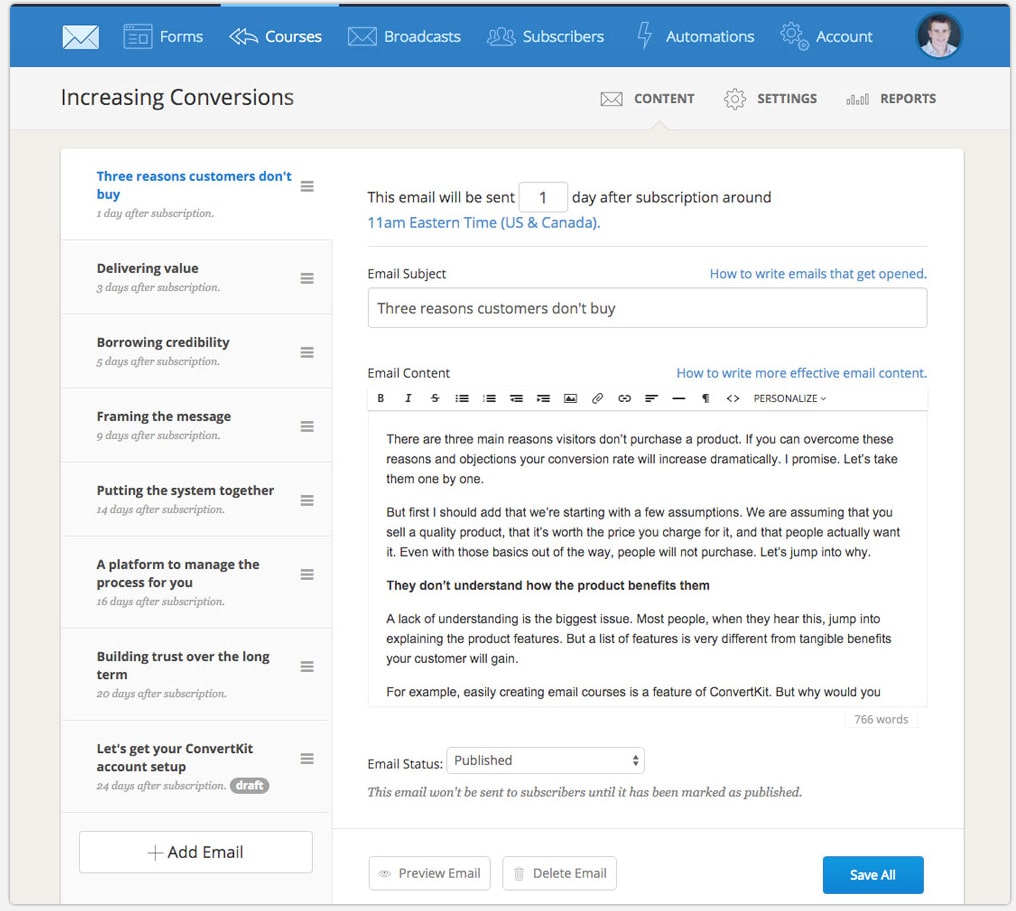
We can drag-n-drop the emails in the order we want to send them, and adjust the amount of time in between each email in the sequence. And as with everything else in Kit, it’s easy to find the reports for the each sequence.
3. Easy-to-Use Automation Features
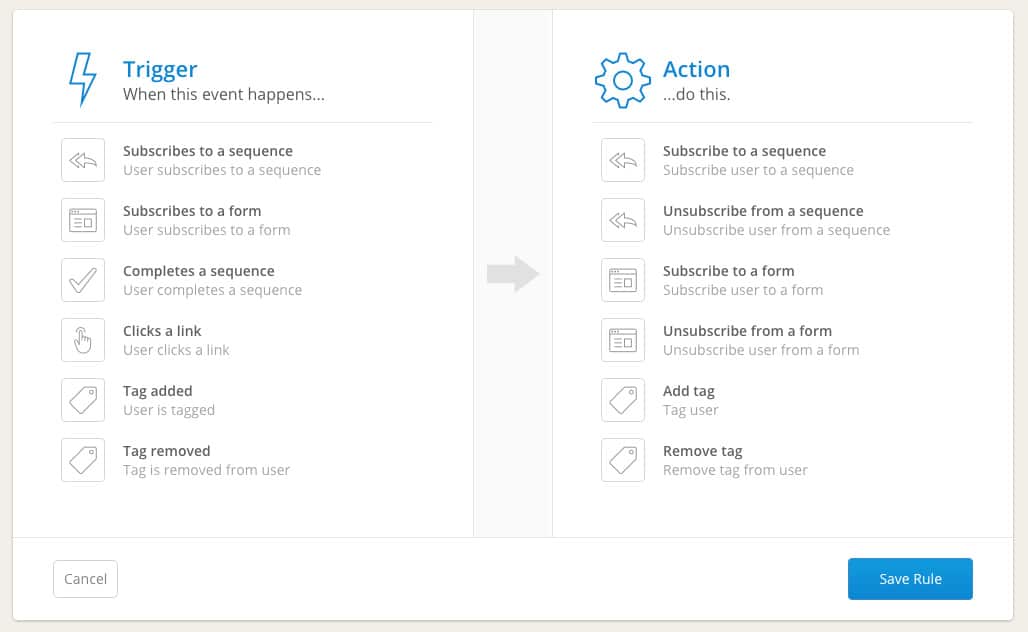
After you create a few forms and sequences, you might be thinking to yourself: Man, it’d be great if we could automate things, so when a subscriber clicks a link, they’re automatically tagged or moved to a specific sequence.
You can. And you can do it without having a degree in rocket science. It just takes a few clicks to set-up.
4. Member Support that Values Your Time
I sent an email to their support team at 3:13 p.m. on a Friday afternoon. I received a response at 3:19 p.m. that answered my question. Boom.
5. Pricing that Makes Sense
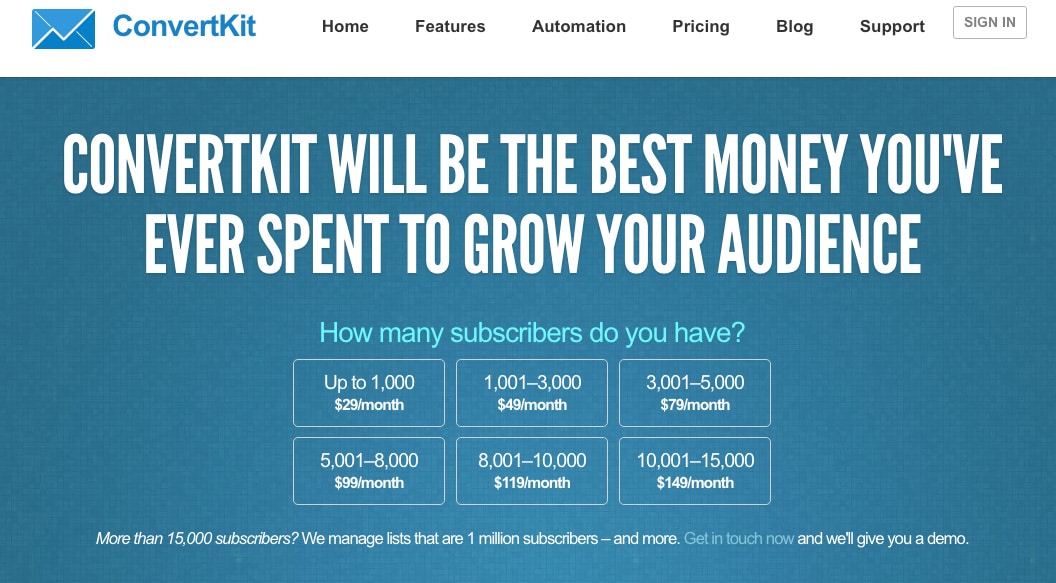
Kit doesn’t have a free pricing option, but their prices are reasonable. If you’re building a list from scratch, you should expect to pay $29/month for 1-1,000 subscribers. The prices listed on their website top out at $149/month for a list of up to 15,000 (but, they will manage larger lists).
There are email SaaS products out there that have more bells and whistles, but they might as well require another college degree to operate, and they’re generally much more expensive. Kit has been the perfect solution to our email marketing needs as a small business.

Davey is the co-founder of Davey & Krista, a creative studio known for high-converting Showit website templates crafted for photographers, creatives, and entrepreneurs. He helps businesses craft an answer to that question and then develops a strategy for communicating it. After years of running agencies that have managed millions in ad spend, he’s seen firsthand the power of effectively answering that question.
Explore website templates and free resources at daveyandkrista.com.


VIEW THE COMMENTS
Add A Comment